Microsoft Office Specialist Master in Microsoft Office 2016
192 Hours · 8 software
MOS: Microsoft Office Word AssociateMOS: Microsoft Office Word ExpertMOS: Microsoft Office Excel AssociateMOS: Microsoft Office Excel ExpertMOS: Microsoft Office PowerPoint AssociateMOS: Microsoft Office Access AssociateMOS: Microsoft Office Access ExpertMOS: Microsoft Office Outlook Associate
MOS: Microsoft Office Word AssociateMOS: Microsoft Office Word ExpertMOS: Microsoft Office Excel AssociateMOS: Microsoft Office Excel ExpertMOS: Microsoft Office PowerPoint AssociateMOS: Microsoft Office Access AssociateMOS: Microsoft Office Access ExpertMOS: Microsoft Office Outlook Associate
BCC - Basic Computer CourseMOS: Microsoft Office Word AssociateMOS: Microsoft Office PowerPoint AssociateMOS: Microsoft Office Excel AssociateMOS: Microsoft Office Excel Expert+4
CCC Plus - Course on Computer Concepts PlusMOS: Microsoft Office Word AssociateMOS: Microsoft Office PowerPoint AssociateMOS: Microsoft Office Excel AssociateO Level+2
Chapter-wise syllabus of every software taught in this field -- tap a software to open it.
Power BI12 chapters · 67 topics+
Introduction to Power BIWhat business intelligence is and where Power BI fitsPower BI Desktop, Service and MobilePower BI Desktop interface: report, table and model viewsThe analyst workflow from data to dashboardBuilding a first quick report
Getting DataConnecting to Excel and CSV filesImporting a folder of filesConnecting to SQL Server and other databasesWeb and online data sourcesImport versus DirectQuery modesData source settings and privacy levels
Power Query: Cleaning and Shaping DataPower Query Editor and applied stepsData types, removing rows and columnsSplit, replace, trim and formatPivot and unpivotConditional and custom columnsColumn quality and data profiling
Power Query: Combining DataAppend queriesMerge queries and join typesGrouping and summarisingParameters and reusable queriesIntroduction to the M language
Data ModellingFact and dimension tablesStar schema designRelationships, cardinality and cross-filter directionCreating a date tableHierarchies and sort by columnHiding fields and organising the model
DAX FundamentalsCalculated columns versus measuresSUM, AVERAGE, COUNT and DISTINCTCOUNTRow context and filter contextCALCULATE with filtersFILTER, ALL and REMOVEFILTERSVariables in DAX
Advanced DAX and Time IntelligenceIterators: SUMX and AVERAGEXTOTALYTD, DATESYTD and SAMEPERIODLASTYEARMonth-on-month and year-on-year growthRANKX and Top N analysisDIVIDE and error handlingQuick measures
Visualisation and Report DesignBar, line, area, pie and combo chartsCards, tables and matricesMaps and geographic dataSlicers, filters and the filter paneConditional formatting and themesReport layout and design principles
Interactive ReportsDrill-down and drill-throughBookmarks and buttons for navigationReport page tooltipsEdit interactions between visualsMobile layout
Power BI Service: Publish and SharePublishing reports to a workspaceCreating dashboards and pinning visualsWorkspaces, roles and appsScheduled refresh and the on-premises data gatewayRow-level securitySharing, exporting and subscriptions
PL-300 Exam PreparationPL-300 skills outline and question typesReview of prepare, model, visualise and manage tasksPractice questions and case studiesTime management for case-study questionsMicrosoft Learn resources and exam booking process
Power BI Dashboard ProjectProject brief: sales, project or production datasetData cleaning and modellingDAX measures for key business figuresMulti-page interactive reportPublishing and dashboard presentation
MOS: Microsoft Office Word Associate9 chapters · 123 topics+
Syllabus in under constructionSyllabus in under construction
Getting StartedWhat Is Word?Looking at the Screen..Accessing Commands and FeaturesUsing the BackstageWorking with Text..Moving Around in a DocumentWorking with Documents..Creating a New DocumentSwitching Between DocumentsSaving DocumentsClosing a DocumentOpening a Document
Manipulating TextChanging the View..Adjusting the ViewUsing Show/Hide ¶Splitting the WindowSelecting Text..Selecting Consecutive TextSelecting Non-Consecutive TextWorking with Text..Using UndoUsing Repeat or RedoInserting Special CharactersUsing Cut, Copy, and PasteFinding and Replacing Items..Finding ItemsReplacing Items
Formatting Text and ParagraphFormatting Characters..Using the Font Dialog BoxFormatting Paragraphs..Aligning TextChanging the SpacingIndenting ParagraphsSetting TabsUsing the Format PainterFormatting with Styles..Using Quick StylesUsing the Styles PaneOrganizing List Information..Customizing the ListsCreating a Multilevel List
Formatting Documents to PrintModifying the Page Setup..Changing the Paper SizeChanging the OrientationChanging the MarginsInserting Page BreaksWorking with Section BreaksWorking with ColumnsUsing Headers and Footers..Inserting Page NumbersCreating Headers and FootersWorking with Document Style Elements..Adding WatermarksAdding Background ColorsAdding Page BordersApplying ThemesUsing Document Style Sets
Distributing DocumentsProofing Your DocumentNavigating with References..Using the Navigation PaneUsing the Go To CommandWorking with HyperlinksCreating BookmarksNavigating within Documents..Preparing to PrintInspecting a Document..Maintaining CompatibilityUsing the Document InspectorChecking Documents for AccessibilitySharing Documents..Share Documents ElectronicallyChanging Link SettingsSharing Documents Stored in OneDrive - Personal
Using TablesWorking with TablesInserting a Table..Working with TextFormatting the TableModifying Tables..Adjusting the Width or HeightInserting Rows, Columns or CellsDeleting Rows, Columns or CellsMerging and or Splitting CellsSetting Row HeadingsUsing Table StylesModifying CellsConverting Tabular Information..Converting a Table to TextConverting Text to a TableSorting Data
Working with IllustrationsInserting Images..Inserting Picture FilesInserting ScreenshotsManipulating PicturesWorking with Shape Objects..Drawing ShapesUsing Text BoxesManipulating ShapesUsing SmartArt..Using the Text PaneManipulating the SmartArtWorking with 3D Models..Inserting 3D ModelsFormatting 3D Models
Reference Creation and Document CollaborationWhy Use References?Using Footnotes and EndnotesInserting Citation Sources..Inserting a BibliographyManaging Your SourcesCreating a Table of Contents..Updating the Table of ContentsDocument Collaboration..Working with CommentsAdding CommentsReviewing CommentsReplying to CommentsResolving CommentsDeleting CommentsUsing Track Changes..Reviewing Tracked ChangesAccepting and RejectingTracked Changes..Locking and Unlocking Change Tracking
MOS: Microsoft Office Word Expert11 chapters · 48 topics+
Manage Documents and TemplatesModify existing templatesCopy custom styles, macros, and building blocks to other documents or templatesManage document versionsCompare and combine multiple documentsLink to external document contentEnable macros in a documentDisplay hidden ribbon tabsChange the application default font
Prepare Documents for ReviewRestrict editingMark a document as finalProtect a document with a password
Perform Advanced Editing and FormattingFind and replace text by using wildcards and special charactersFind and replace formatting and stylesSet advanced page setup layout optionsLink text boxesSet paragraph pagination optionsResolve style conflicts by using Paste Options
Create StylesCreate paragraph and character stylesModify existing styles
Create and Manage IndexesMark index entriesCreate indexesUpdate indexes
Create and Manage ReferencesCustomize a table of contentsInsert and modify captionsCreate and modify a table of figures
Manage Forms, Fields, and Mail Merge OperationsAdd custom fieldsModify field propertiesPerform mail mergeManage recipient listsInsert merged fieldsPreview merge results
Create and Modify Building Blocks, Macros, and ControlsCreate QuickPartsManage building blocksCreate and modify simple macrosInsert and configure content controls
Create Custom Style Sets and TemplatesCreate custom color setsCreate custom font setsCreate custom themesCreate custom style sets
Prepare a document for Internationalization and AccessibilityConfigure language options in documentsAdd alt-text to document elementsManage multiple options for +Body and +Heading fontsUtilize global content standards
MOS: Microsoft Office Excel Associate8 chapters · 139 topics+
Introducing Excel..What is Excel?..Understanding Basic TerminologyMouse SymbolsUsing the Quick Access ToolbarUsing the RibbonIdentifying Screen SymbolsEntering Data in a Worksheet..Types of DataEntering TextEntering NumbersEntering Dates and TimesMoving Around the WorksheetWorking with Workbooks..Saving WorkbooksCreating a New WorkbookSwitching Between WorkbooksOpening a WorkbookClosing a WorkbookWorking with the Compatibility ModeSelecting Cells
Constructing Cell DataEditing Cells and Undoing ChangesCopying and Moving Data..Cutting, Copying and Pasting DataUsing Paste SpecialCopying and Moving Cells Using the MouseInserting and Deleting Rows and ColumnsInserting Rows and ColumnsDeleting Rows and ColumnsInserting and Deleting CellsAdjusting the Columns and RowsChanging the Column WidthsAdjusting the Row HeightUsing AutoFitHiding/Unhiding Rows & ColumnsUsing AutoFill and Flash FillManaging Worksheets..Renaming WorksheetsInserting or Deleting WorksheetsMoving or Copying WorksheetsHiding/Unhiding WorksheetsAdding Color to Worksheet Tabs
Using FormulasUsing Formulas..Creating and Editing FormulasCell ReferencesMathematical OperatorsWhat-If AnalysisReferencing Other WorksheetsUsing Math and Statistical Functions..Using the SUM FunctionUsing Statistical FunctionsUsing the Subtotal FunctionUsing the IF FunctionUsing Conditional Summary FunctionsUsing Text FunctionsUsing Absolute and Relative Cell ReferencesUsing Absolute Cell ReferencesUsing Mixed Absolute and Relative Cell ReferencesDisplaying Formulas
Formatting the WorksheetFormatting a Cell..Formatting Numbers and Decimal DigitsChanging Cell Alignment..Cell Alignment and Indenting Wrapping TextMerging CellsChanging Fonts and SizesApplying Cell BordersApplying Cell BordersUsing Colors and PatternsUsing the Format PainterClearing Cell Contents and FormattingThemes..Using ThemesModifying ThemesUsing Cell StylesConditional Formatting..Using the RibbonUsing the Rules Manager
Viewing and Printing WorkbooksChanging Worksheet ViewsCreating and Arranging Worksheet WindowsSplitting PanesFreezing PanesChanging the ZoomPrinting and Previewing the WorkbookChanging the Workbook ViewsCustomizing the Page LayoutSetting Page BreaksPage FormattingAdding a Header or FooterPrinting Titles and Ranges of CellsPrinting Selected Worksheets
Working with Charts and GraphicsCreating a Basic ChartMoving and Resizing ChartsChanging Chart TypesWorking with Pie ChartsModifying the Chart Design and Location..Adding New DataUsing SparklinesPrinting ChartsUsing the Quick Analysis ToolDrawing Shapes..Moving and Resizing ShapesFormatting ShapesInserting PicturesUsing the Image EditorModifying Graphics ObjectsUsing the Format Shape PaneResizing, Reshaping, and Scaling Graphics ObjectsRotating Graphics Objects
Organizing DataWorking with Named RangesCreating Named RangesModifying and Deleting Named RangesGo To a Cell or Named RangeUsing Tables ..Creating a TableModifying Table DataFormatting Table DataConverting a Table to a Cell RangeSorting DataSorting by Single -Level DataSorting by Multi -Level DataFiltering InformationRemoving Duplicate RowsOutliningUsing Automatic SubtotalsManually Grouping and Ungrouping Data
Using Data ToolsCustomizing Excel..Customizing the Quick Access ToolbarFinding and Replacing Data..Finding DataReplacing DataUsing Hyperlinks..Inserting HyperlinksModifying and Deleting HyperlinksImporting and Exporting Data..Importing Data Files from External Text FilesImporting Data from External CSV File sExporting Excel Data as CSVAccessing Workbook PropertiesUsing the Document InspectorUsing the Accessibility Checker Tool
MOS: Microsoft Office Excel Expert14 chapters · 63 topics+
Manage WorkbooksSave a workbook as a templateCopy macros between workbooksReference data in another workbookReference data by using structured referencesEnable macros in a workbookDisplay hidden ribbon tabs
Manage Workbook ReviewRestrict editingProtect a worksheetConfigure formula calculation optionsProtect workbook structureManage workbook versionsEncrypt a workbook with a password
Apply Custom Data Formats and ValidationCreate custom number formatsPopulate cells by using advanced Fill Series optionsConfigure data validationApply Advanced Conditional Formatting and FilteringCreate custom conditional formatting rulesCreate conditional formatting rules that use formulasManage conditional formatting rules
Create and Modify Custom Workbook ElementsCreate custom color formatsCreate and modify cell stylesCreate and modify custom themesCreate and modify simple macrosInsert and configure form controls
Prepare a Workbook for InternationalizationDisplay data in multiple international formatsApply international currency formatsManage multiple options for +Body and +Heading fonts
Apply Functions in FormulasPerform logical operations by using AND, OR, and NOT functionsPerform logical operations by using nested functionsPerform statistical operations by using SUMIFS, AVERAGEIFS, and COUNTIFS functions
Look up data by using FunctionsLook up data by using the VLOOKUP functionLook up data by using the HLOOKUP functionLook up data by using the MATCH functionLook up data by using the INDEX function
Apply Advanced Date and Time FunctionsReference the date and time by using the NOW and TODAY functionsSerialize numbers by using date and time functions
Perform Data Analysis and Business IntelligenceImport, transform, combine, display, and connect to dataConsolidate dataPerform what-if analysis by using Goal Seek and Scenario ManagerUse cube functions to get data out of the Excel data modelCalculate data by using financial functions
Troubleshoot FormulasTrace precedence and dependenceMonitor cells and formulas by using the Watch WindowValidate formulas by using error checking rulesEvaluate formulas
Define Named Ranges and ObjectsName cellsName data rangesName tablesManage named ranges and objects
Create Advanced ChartsAdd trendlines to chartsCreate dual-axis chartsSave a chart as a template
Create and Manage PivotTablesCreate PivotTablesModify field selections and optionsCreate slicersGroup PivotTable dataReference data in a PivotTable by using the GETPIVOTDATA functionAdd calculated fieldsFormat data
Create and Manage Pivot ChartsCreate PivotChartsManipulate options in existing PivotChartsApply styles to PivotChartsDrill down into PivotChart details
MOS: Microsoft Office PowerPoint Associate8 chapters · 196 topics+
What is PowerPoint?Starting PowerPointCreating New PresentationsLooking at the PowerPointWindowMoving Around in PresentationsOpening a PresentationClosing a PresentationUsing the RibbonViewing Screen TipsUsing the Quick Access ToolbarChanging Slide Size OptionsArranging WindowsSwitching Between PresentationsViewing a Presentation in a New WindowManaging Presentation Files ..Saving PresentationsSaving Presentations to OneDriveMaintaining Backward CompatibilityModifying Presentation PropertiesViewing Presentations
Working with SlidesUsing Themes..Applying ThemesModifying ThemesFormatting Slide BackgroundsUnderstanding Slide Layouts..Applying Slide LayoutsFormatting PlaceholdersCustomizing Slide LayoutsUsing Gridlines and GuidesUnderstanding Slide Masters..Using Slide Master ViewModifying an Existing Slide LayoutApplying Modified Layouts to SlidesManaging Slides..Inserting New SlidesDuplicating SlidesHiding and Showing SlidesInserting Slides from Existing PresentationsInserting Slides from an OutlineDeleting SlidesAdding Footers, Date and Slide NumbersOrganizing Slides..Using the Slide SorterRearranging SlidesUsing Sections
Working with TextUsing an Outline..Using the Outline ViewImporting Text File OutlinesImporting Word Document OutlinesAdding Text..Inserting Text on a SlideDeleting Text on a SlideModifying Text on a SlideUsing the Spelling CheckerUsing the ThesaurusUsing Smart LookupCutting, Copying, and Pasting TextUsing the Office ClipboardUsing Drag and DropUsing Bullets and NumberingApplying BulletsApplying NumberingPromoting and Demoting ListsFormatting Text..Using the Format PainterClearing FormattingFormatting ParagraphsHorizontal AlignmentAdd or Remove ColumnsLine SpacingParagraph SpacingChanging the Direction of TextChanging the Vertical Position of TextSetting Tabs..Creating Tabs with the Tab SelectorCreating Tabs with the Tabs Dialog BoxUsing Text Boxes..Sizing and Positioning Text BoxesChanging the Order, Alignment, Orientation and RotationRotating a Text BoxReusing FormattingUsing WordArtInserting, Modifying, and Deleting WordArtChanging the WordArt ShapeFormatting WordArt
Working with Charts and TablesWorking with Charts and TablesInserting ChartsChanging the Chart TypeSelecting and Editing Chart DataChanging the Chart Layout and StyleUnderstanding Chart ElementsSelecting Chart ElementsFormatting Chart ElementsChanging the Size and Position of a Chart ElementAdding Chart ElementsModifying Chart ParametersImporting from Other ApplicationsUnderstanding Embedding and LinkingImporting an Excel ChartInserting an Excel WorkbookUsing Tables..Creating Tables from ScratchCopying and Pasting a Table from Word or ExcelInserting a Portion of an Excel Worksheet as a TableInserting an Excel Worksheet as a TableSelecting Elements and Moving within a TableModifying Tables..Changing the Size or Position of a TableChanging the Size of a Row or ColumnInserting and Deleting Rows or ColumnsMerging and Splitting Rows or ColumnsFormatting a Table Changing the Alignment or Orientation
Adding Multimedia ElementsUsing Multimedia Elements..Working with ShapesFormatting ShapesAdjusting, Changing, and Editing ShapesArranging ShapesCreating Custom ShapesWorking with Pictures..Inserting PicturesAdjusting PicturesApplying Styles and Effects to PicturesArranging PicturesResizing and Cropping PicturesInserting and Modifying HyperlinksInserting and Modifying Action ButtonsWorking with SmartArt..Choosing a SmartArt LayoutModifying SmartArt ShapesUsing SmartArt StylesChanging the OrientationConverting SmartArt to Text or Shapes
Enhancing PresentationsAudio and Video Media..Inserting AudioInserting VideoInserting a Screen RecordingCompressing and Optimizing MediaUsing Transitions..Inserting Transitions between SlidesChanging the Duration of TransitionsModifying Transition Effect OptionsManaging Multiple TransitionsUsing Animations..Applying Animations to ObjectsApplying Motion Path AnimationsChanging Animation Settings and OptionsApplying Animations to TextUsing the Animation PainterChanging the Order of AnimationsRemoving Animations
Preparing the Slide ShowReviewing PresentationsUsing CommentsInserting CommentsEditing and Replying to CommentsTracking ChangesCustomizing the Presentation..Adding Speaker NotesCreating HandoutsEmbedding FontsProofing a Presentation..Manually Proofing a PresentationUsing the Accessibility and Compatibility CheckersEnsuring a Presentation is CompatibleSetting Up a Slide ShowUsing Presentation ToolsUsing the Presenter ViewRehearsing a PresentationCustomizing Rehearsed TimingsRecording a PresentationCreating Custom SlideshowsPresenting Online
Sharing PresentationsReducing the Size of a Presentation FileCompressing and Optimizing MediaCompressing PicturesDiscarding Picture Editing InformationInspecting a Presentation..Using the Document InspectorProtecting a PresentationEncrypting Presentations with a PasswordMarking a Presentation as FinalRestricting AccessAdding a Digital SignatureExporting Presentations in Other FormatsSave in an Earlier PowerPoint FormatCreating PowerPoint ShowsSaving a Presentation as PDF or XPS Document FileSaving a Presentation as ImagesSaving a Presentation as a VideoSave a Presentation as an OutlineSaving a Presentation as an Open DocumentPackaging Presentations for CDPrinting a PresentationSharing a Presentation..Share with PeopleEmailing a PresentationPublishing Slides
MOS: Microsoft Office Access Associate6 chapters · 210 topics+
Exploring the Access EnvironmentAn Introduction to DatabasesSpreadsheet DatabasesRelational Database Management Systems (RDBMS)What is Access?Access Database FilesDatabase ObjectsAccess Web App Databases and Desktop DatabasesComponents of the Access User InterfaceThe RibbonThe Navigation PaneUsing the Quick Access ToolbarStarting Access and Working with DatabasesCreating New DatabasesImporting Objects into a DatabaseClosing DatabasesOpening DatabasesUsing the Navigation PaneSorting and Filtering ObjectsSetting Navigation OptionsCopying ObjectsRenaming ObjectsDeleting ObjectsSaving and Exporting OptionsSaving a Database as a TemplateExporting Data to Alternate FormatsSetting Access Options
Building TablesTable Basics ..Table StructureData TypesPrimary KeysDefining Tables in AccessModifying Table FieldsSelecting FieldsUsing the Field Properties PaneAbout Table PropertiesAccess Table ViewsCreating Tables in Datasheet ViewReusing Design ElementsUsing Quick Start FieldsUsing Application PartsImporting DataImporting Tables from Other DatabasesImporting Data from ExcelAppending Records to a TableImporting Data as a Linked TableWorking in Datasheet View..Navigating a DatasheetAdding, Updating, and Deleting RecordsManipulating a DatasheetPrinting Datasheet RecordsConstraining Input..Validation RulesInput MasksDefault ValuesTable Relationships and Keys..Foreign KeysRelationship TypesDatabase SchemaCreating Relationships in a DatabaseCreating Lookup FieldsWorking with Related DataError/Alert Messages..Messages Encountered in Design ViewMessages Encountered during Data EntryMessages Pertaining to Related Tables
Retrieving the Data You WantRetrieving DataFinding RecordsUsing WildcardsFinding and Replacing DataSorting RecordsFiltering RecordsFilter by SelectionFilter by FormUnderstanding QueriesRunning a Query (Datasheet View)Creating a Select Query in Design ViewCreating a Select Query with the Query WizardModifying QueriesAdding and Removing FieldsSorting Query FieldsHiding Query FieldsFormatting Query FieldsRenaming QueriesCreating Multiple-Table QueriesUnderstanding Joins andRelationshipQuerying Related TablesCreating Joins in a QueryAdding Query CriteriaArithmetic OperatorsComparison OperatorsConcatenation OperatorsSpecial OperatorsLogical OperatorsPerforming Calculations in QueriesUnderstanding ExpressionsAdding Calculated Fields to a QueryUsing the Expression BuilderGrouping and Summarizing Query DataAggregate FunctionsCreating Parameter QueriesParameters and Data TypesAdding ParametersUsing Conditional Logic in a QueryCreating Action QueriesCreating Update QueriesCreating Make Table QueriesCreating Append QueriesCreating Delete QueriesCreating Crosstab QueriesUsing the Crosstab Query Wizard
Working with FormsWhy Use Forms?..Working with Records in a FormThe Inside Scoop – Controls andPropertiesForm Views..Form ViewLayout ViewDesign ViewCreating Forms Using Automated Form ToolsUnderstanding Forms with SubformsUsing the Form WizardCreating Forms from ScratchThe Field List PaneThe Property SheetThe Record Source and Control Source PropertiesModifying FormsSelecting ControlsRemoving ControlsResizing ControlsApplying Formatting to ControlsWorking with Layouts..Moving ControlsUsing Table FunctionsWorking with a Form in Design ViewPositioning Form ControlsCreating Forms Using Application PartsDeleting FormsAdding Controls from the RibbonAdding Controls in Layout ViewAdding Controls in Design ViewAligning and Sizing ControlsAdding a Subform ControlManually Creating and Linking a SubformMaking Forms User-Friendly..Using Lookup Fields on FormsChanging the Tab OrderCreating Control Tips and Hot KeysValidating Data Entry in FormsApplying Formatting and Design OptionsWorking with Headers and FootersWorking with Fonts, Backgrounds, and ImagesWorking with ThemesFormatting Forms for PrintingNavigation Forms
Designing ReportsWhat is a Report?..Report SectionReport LayoutsControls and propertiesReport Views..Report ViewPrint PreviewLayout ViewDesign ViewCreating Reports..Using the Report ToolCreating a Report Using theReport WizardDeleting ReportsCreating Reports from ScratchThe Field List PaneThe Property SheetThe Record Source and Control Source PropertiesWorking with ReportsSelecting ControlsResizing ControlsControl Report PositioningApplying Formatting to Report ElementsWorking in Layout ViewWorking in Design ViewAdding Controls from the RibbonAdding Controls from the Ribbon in Layout ViewAdding Controls from the Ribbon in Design ViewWorking with Subform/Subreport ControlsAdding Calculations to ReportsGrouping and Sorting Data in ReportsAdding Grouping Levels with the Shortcut MenuUsing the Group, Sort and Total PaneFormatting and Previewing ReportsPreviewing ReportsWorking with Page Size, Orientation and Report Width MarginsFormatting Reports into Multiple ColumnsReport Headers and FootersAdding Images to ReportsWorking with ColorsApplying a Theme Printing ReportsSorting and Filtering Printed OutputReport Output Options
Protecting, Maintaining, and Managing DatabasesProtecting Database Files..Open Modes for DatabasesEncrypting and Password protecting a DatabaseMaintaining Database FilesBacking Up a DatabaseRecovering Data from a BackupCompacting and RepairingManaging DatabasesSetting Startup OptionsRenaming Database ObjectsObject Dependencies and Deleting Database ObjectsWorking with Split Databases
MOS: Microsoft Office Access Expert7 chapters · 35 topics+
Database Design and ManagementPlanning tables and avoiding duplicate dataNavigation Pane and database optionsCompact and Repair, backup and Database DocumenterSplitting a database: front end and back endHiding objects and setting a startup form
Tables, Fields and RecordsField data types and field sizeInput Mask, Default Value and Validation RuleLookup Wizard and value listsIndexes and primary keysCalculated and attachment fields
Relationships and KeysRelationships windowOne-to-many and many-to-many through a junction tableForeign keys and referential integrityCascade Update and Cascade DeleteRelationship report
QueriesSelect queries with criteria and wildcardsJoins and multi-table queriesTotals and calculated fields with the Expression BuilderParameter and crosstab queriesMake-table, append, update and delete queries
FormsForm Wizard, Layout View and Design ViewText box, combo box, list box and command button controlsSubforms and tab orderForm header, footer and themesConditional formatting on forms
ReportsReport Wizard and Layout ViewGrouping, sorting and totalsCalculated controls and page numbersPage setup, print preview and printingExporting reports to PDF
Import, Export and Exam PracticeImporting from Excel and text filesLinked tables and saved imports and exportsExporting data to ExcelTimed exam-style project tasksReview of common mistakes
MOS: Microsoft Office Outlook Associate4 chapters · 56 topics+
Manage the Outlook environment for productivityCustomize settings..Manage multiple accountsCustomize the appearance of the program windowConfigure program optionsPrint and save information..View and save messages and attachmentsPrint Outlook itemsPerform search operations in Outlook..Search for itemsUse Search Folders
Manage messagesConfigure mail settingsSet default fonts for outgoing messagesCreate and assign automatic signaturesAutomatically process and reply to messagesPopulate messages by using Quick PartsManage junk emailCreate messages..Create and send messagesConfigure message optionsRespond to messagesFormat messages..Format textApply themesApply stylesCreate hyperlinksInsert imagesInsert signaturesOrganize and manage messagesArrange messages by specific attributesCategorize messagesFlag messages for follow-upManage conversationsOrganize messages in foldersCreate and manage Quick StepsConfigure basic AutoArchive settingsDelegate access
Manage schedulesCreate and manage calendars..Configure calendar settingsWork with multiple calendarsShare calendar informationCreate appointments, meetings, and events..Create appointments and eventsCreate meetingsManage calendar itemsOrganize and manage appointments, meetings, and events..Configure settings for calendar itemsManage meeting optionsCreate and manage notes and tasks..Create tasksManage tasksCreate and manage notes
Manage contacts and groupsCreate and manage contacts..Create and modify contact recordsStore contact recordsShare contact records and address booksCreate and manage contact groups
MCE: Microsoft Certified Educator9 chapters · 36 topics+
Technology Literacy and 21st Century LearningRole of ICT in educationUNESCO ICT Competency Framework for Teachers21st Century Learning Design dimensionsTechnology literacy vs technology use
ICT Policy, Digital Citizenship and SafetySchool and national ICT policy goalsDigital citizenship and online safetyCopyright, licences and ethical use of contentData privacy for students and teachers
Planning ICT-Rich LessonsLearning objectives and lesson plansChoosing the right tool for the activityRubrics for ICT-based tasksLesson planning with Word and OneNote
Collaboration with Microsoft Teams and OneNoteClass teams, channels and postsOneNote Class Notebook: content library and collaboration spaceCo-authoring in OneDriveGroup roles and shared responsibility
Skilled Communication and MultimediaPresentations with PowerPointInteractive lessons with SwayUsing images, audio and video in lessonsStudents presenting to real audiences
Knowledge Construction and Problem SolvingProject-based learning activitiesCollecting and analysing data with ExcelSurveys with Microsoft FormsReal-world problems and student research
Assessment, Feedback and Self-RegulationQuizzes in Microsoft FormsAssignments and grading in TeamsFormative feedback and reflectionStudent portfolios and self-assessment
Inclusive Learning and Student InnovationImmersive Reader and accessibility checkerMinecraft Education overviewEncouraging student-created contentUsing Microsoft Learn Educator Center resources
Capstone Lesson and ReviewDesign a complete ICT-based lesson for your subjectPeer review and feedbackScenario-based practice questionsCourse review and assessment
Cloud ConceptsWhat is cloud computingShared responsibility modelPublic, private and hybrid cloudConsumption-based model and CapEx vs OpExHigh availability, scalability, elasticity and reliabilityIaaS, PaaS and SaaS
Azure Architecture ComponentsAzure regions, region pairs and sovereign regionsAvailability zones and datacentresResources and resource groupsSubscriptions and management groupsAzure portal tour and free account
Compute and Networking ServicesVirtual machines, scale sets and availability setsAzure Virtual DesktopContainers and Azure FunctionsAzure App ServiceVirtual networks, subnets and peeringVPN Gateway, ExpressRoute and Azure DNS
Storage ServicesStorage accounts and redundancy: LRS, ZRS, GRSBlob, Files, Queue and Table storageHot, cool and archive access tiersAzCopy and Azure Storage ExplorerAzure Migrate and Azure Data Box
Identity, Access and SecurityMicrosoft Entra ID and single sign-onMultifactor and passwordless authenticationConditional AccessAzure role-based access controlZero Trust and defence in depthMicrosoft Defender for Cloud
Cost Management and GovernanceFactors that affect cloud costPricing calculator and TCO calculatorMicrosoft Cost Management and tagsAzure Policy and resource locksMicrosoft Purview and Service Trust Portal
Management Tools, Monitoring and Exam PracticeAzure Cloud Shell, Azure CLI and Azure PowerShellAzure Resource Manager and ARM templatesAzure Arc overviewAzure Advisor, Service Health and Azure MonitorLog Analytics and Application InsightsPractice tests and revision
Cloud ConceptsWhat is cloud computingIaaS, PaaS and SaaSPublic, private and hybrid cloudBenefits of the cloud for organisationsMicrosoft 365 vs on-premises Office
Microsoft 365 Apps and ServicesWord, Excel, PowerPoint and Outlook across desktop, web and mobileExchange OnlineSharePoint and OneDriveMicrosoft Loop and Viva overviewMicrosoft 365 Copilot overview
Collaboration with TeamsTeams, channels and chatMeetings, webinars and Teams Phone overviewSharing and co-authoring filesTeams apps and integrationsGuest access and external sharing
Endpoint and Device ManagementMicrosoft Intune overviewWindows 365 and Azure Virtual DesktopWindows AutopilotUpdate channels for Microsoft 365 appsDevice compliance policies
Identity and Access ManagementMicrosoft Entra ID users and groupsSingle sign-on and self-service password resetMultifactor authenticationConditional AccessHybrid identity with Microsoft Entra Connect
Security, Compliance and PrivacyZero Trust modelMicrosoft Defender XDR and Microsoft Secure ScoreMicrosoft Purview: DLP, sensitivity labels, retentioneDiscovery and Compliance ManagerService Trust Portal and privacy principles
Admin Center, Licensing, Support and Exam PracticeMicrosoft 365 admin center tourSubscription and licence typesService health and Message centerSupport requests and service level agreementsPractice questions and revision
Microsoft Dynamics 365 Fundamentals7 chapters · 33 topics+
Introduction to Dynamics 365 and Business AppsWhat are business applicationsCRM vs ERPDynamics 365 app family overviewMicrosoft Dataverse and the Power PlatformCopilot in Dynamics 365 overview
Dynamics 365 SalesAccounts, contacts and leadsQualifying leads to opportunitiesProducts, price lists, quotes and ordersSales pipeline and forecasting viewsSales activities and Outlook integration
Customer Service and Field ServiceCases, queues and routingService level agreements and entitlementsKnowledge articlesOmnichannel customer engagement overviewWork orders, scheduling and resources in Field Service
Customer Insights - Data and JourneysUnified customer profilesSegments and customer data sourcesReal-time journeys and emailsEvent management and lead scoring overview
Finance and Supply Chain ManagementGeneral ledger and financial dimensionsAccounts payable and accounts receivableBudgeting and fixed assetsProcurement and sourcingInventory, warehouse and production overview
Business Central and Other AppsBusiness Central for small and medium businessesProject Operations overviewCommerce and retail overviewHuman resources capabilities
Shared Features, Reporting and ReviewModel-driven app navigation, views and formsSecurity roles and business unitsIntegration with Teams, Outlook and ExcelReporting with Power BI dashboardsCase study and review questions
Which Office & IT Certifications courses can I join?
CADD Training Centre offers 29 Office & IT Certifications courses at Microsoft Office Specialist (MOS), Microsoft Technology Associate (MTA), Microsoft Technical Certifications (MTC), Microsoft Certified Educator (MCE) level: Microsoft Office Specialist (MOS) Word Associate, Microsoft Office Specialist (MOS) Word Expert, Microsoft Office Specialist (MOS) Excel Associate, Microsoft Office Specialist (MOS) Excel Expert, Microsoft Office Specialist (MOS) PowerPoint Associate, Microsoft Office Specialist (MOS) Access Associate, Microsoft Office Specialist (MOS) Access Expert, Microsoft Office Specialist (MOS) Outlook Associate…
Which software will I learn in Office & IT Certifications?
Power BI, MOS: Microsoft Office Word Associate, MOS: Microsoft Office Word Expert, MOS: Microsoft Office Excel Associate, MOS: Microsoft Office Excel Expert, MOS: Microsoft Office PowerPoint Associate, MOS: Microsoft Office Access Associate, MOS: Microsoft Office Access Expert, MOS: Microsoft Office Outlook Associate, MCE: Microsoft Certified Educator, Azure Fundamentals, Microsoft 365 Fundamentals, Microsoft Dynamics 365 Fundamentals.
How long are the Office & IT Certifications courses?
From 24 Hours for a short course; every course page lists its software and duration.
Can I learn Office & IT Certifications online?
Yes. Our centres run classroom batches and live online batches -- ask our counsellor for the next online batch.
Will I get a certificate?
Yes. After the course exam you get a CADD Training Centre certificate that anyone can verify online.

 Power BI
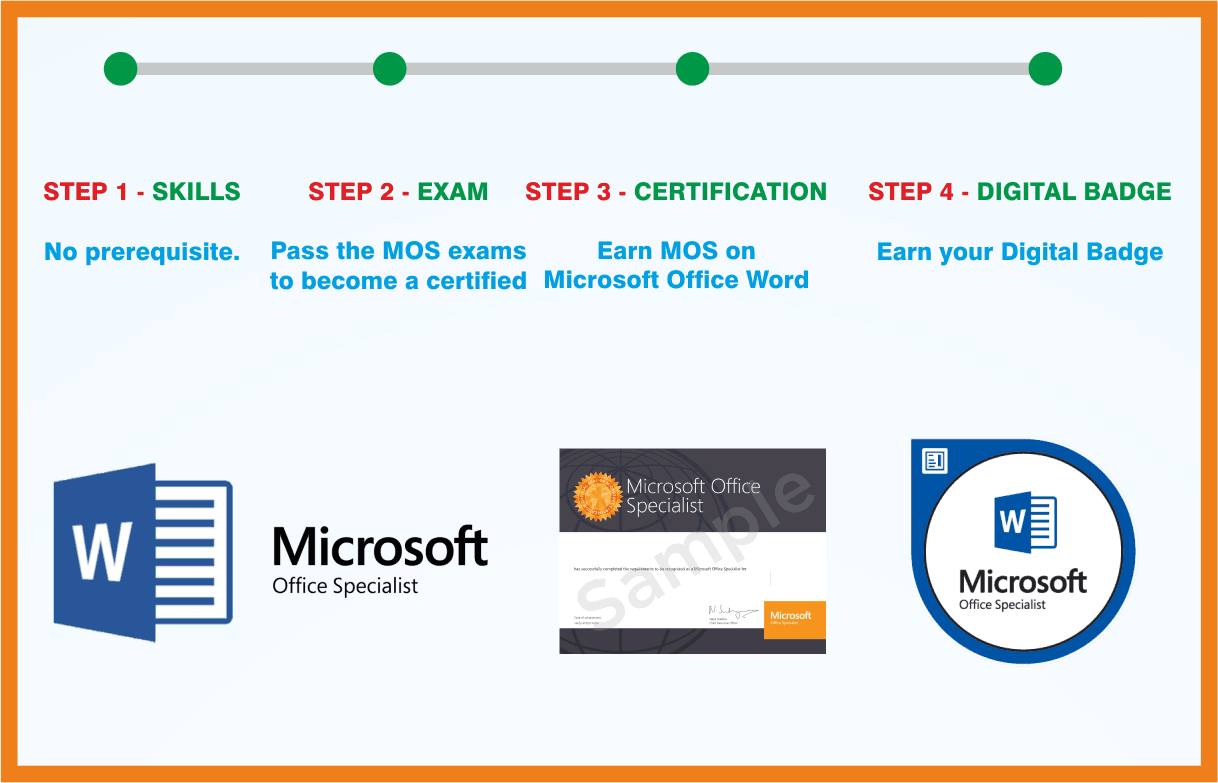 MOS: Microsoft Office Word Associate
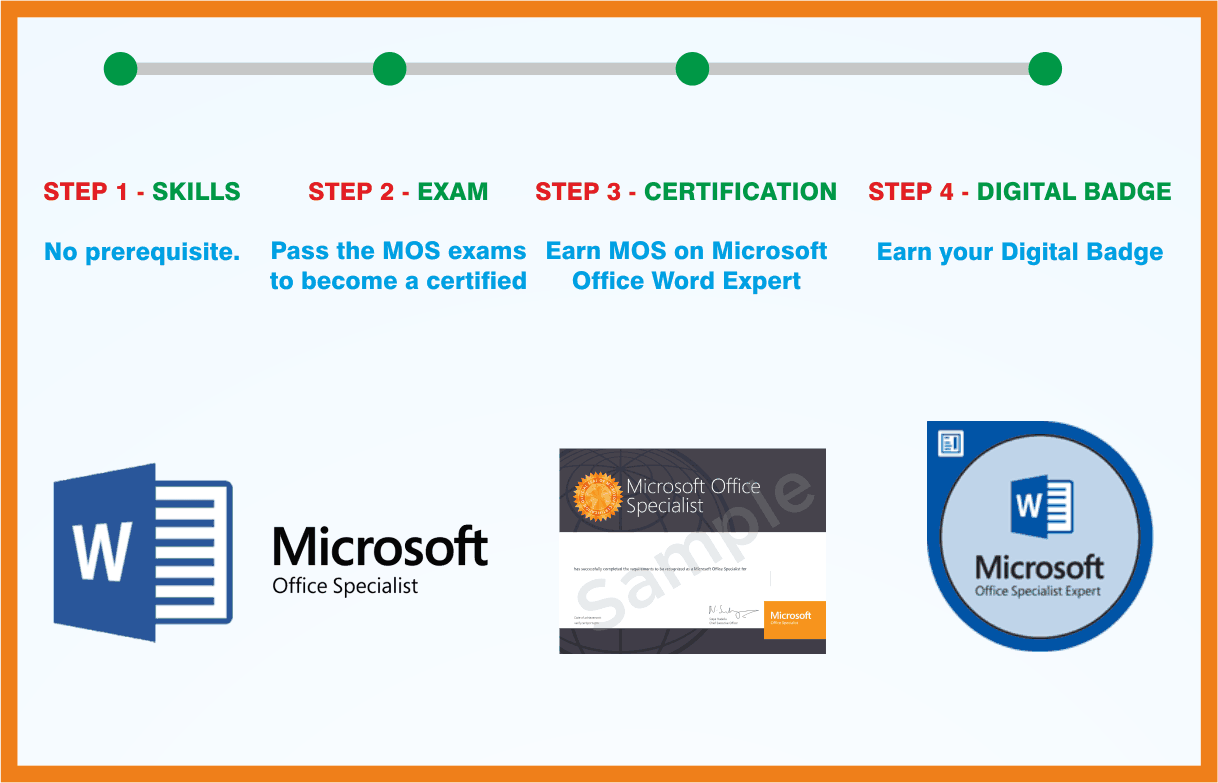 MOS: Microsoft Office Word Expert
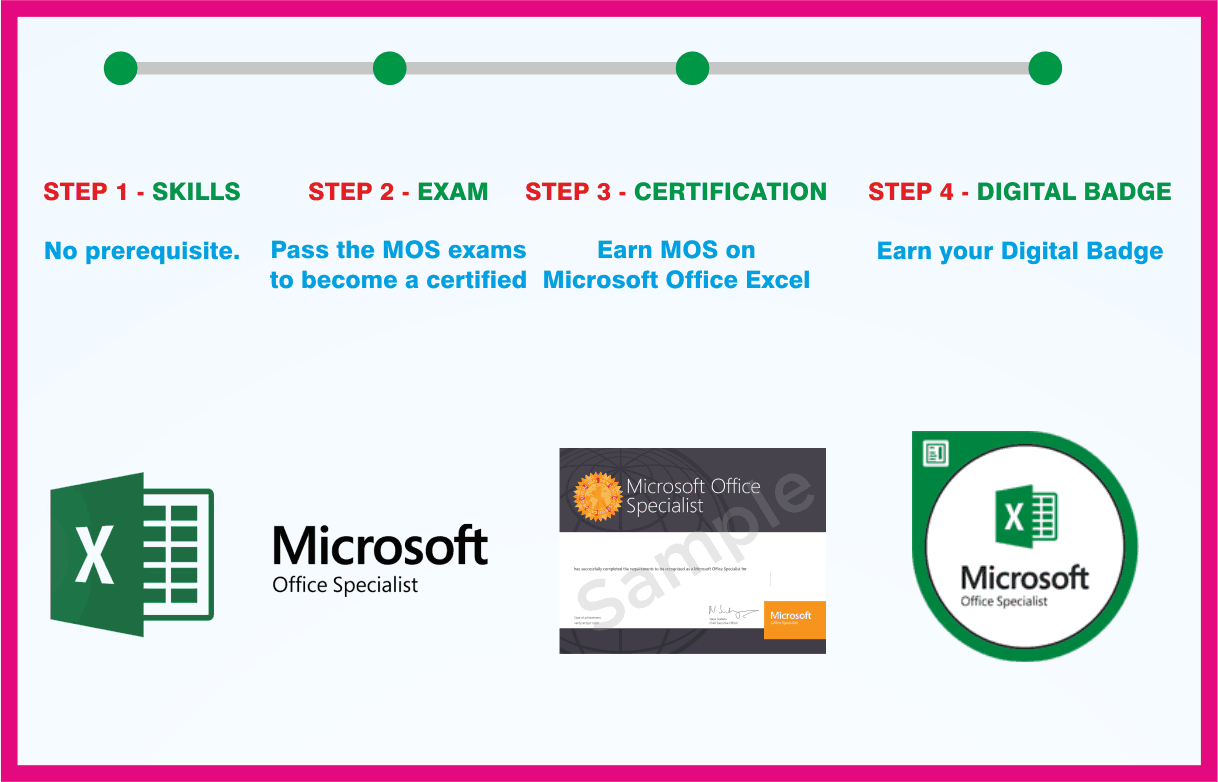 MOS: Microsoft Office Excel Associate
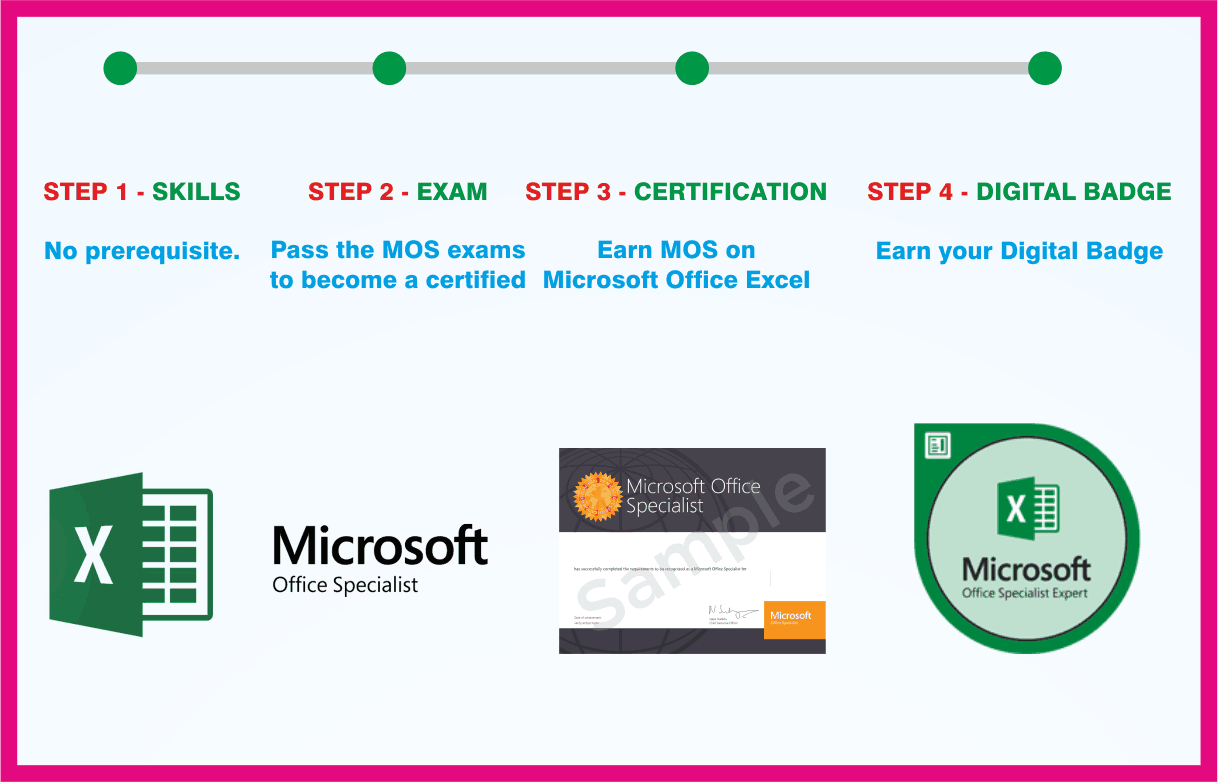 MOS: Microsoft Office Excel Expert
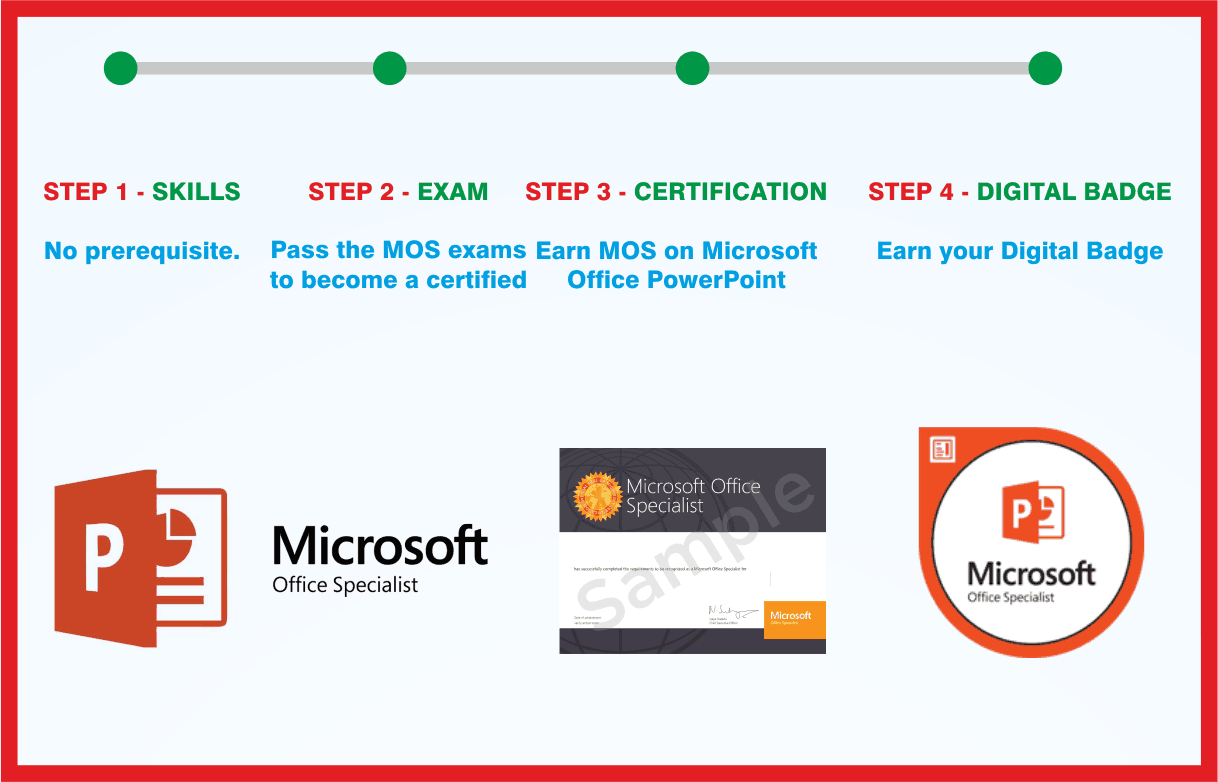 MOS: Microsoft Office PowerPoint Associate
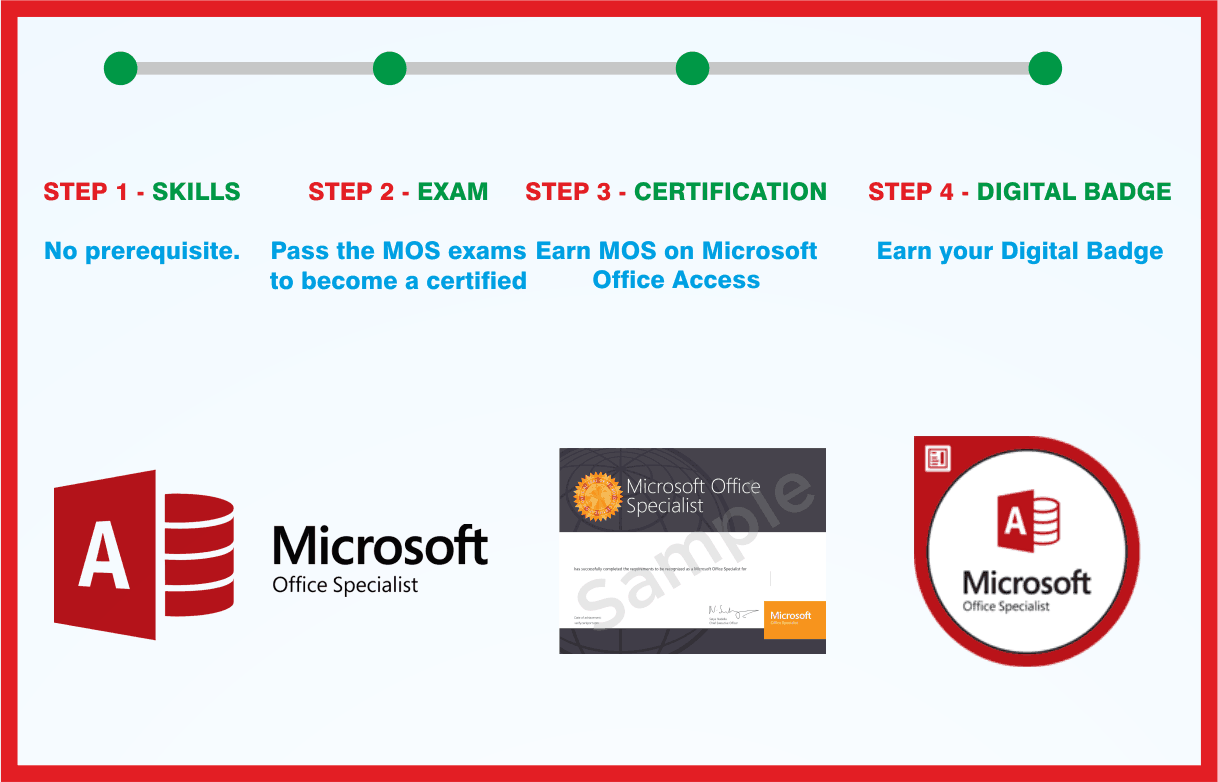 MOS: Microsoft Office Access Associate
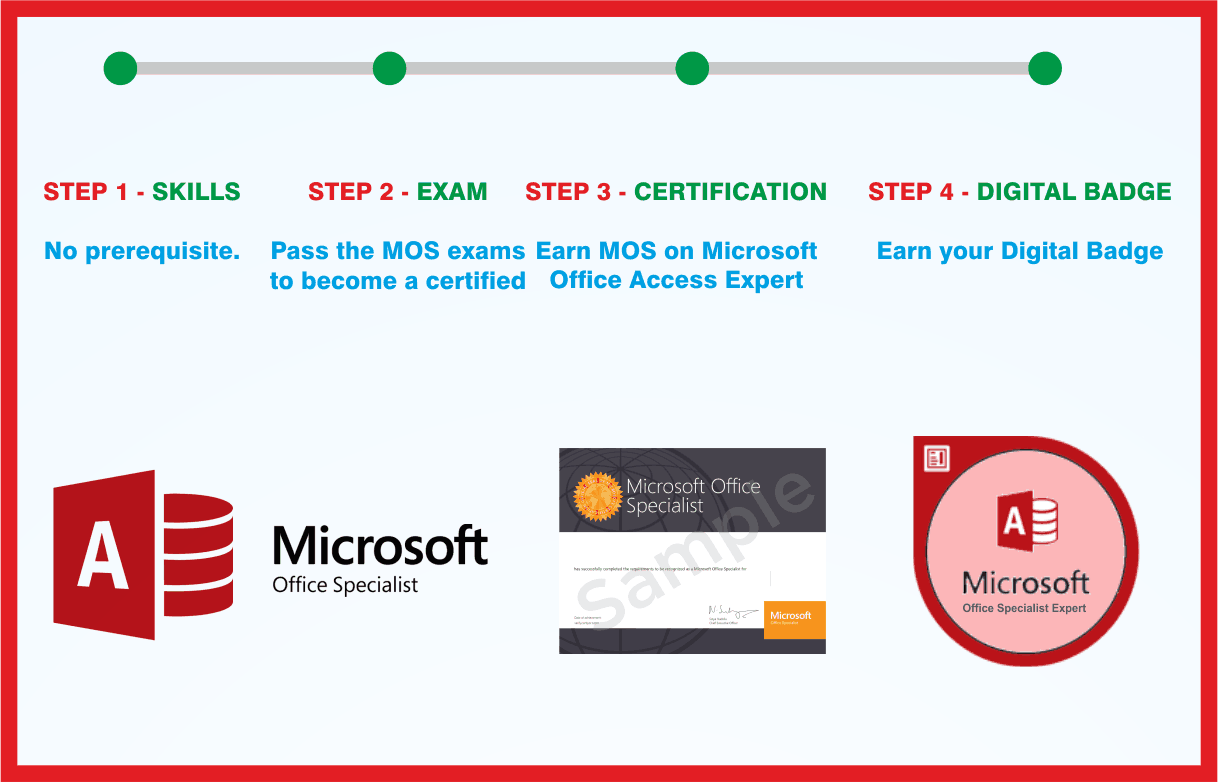 MOS: Microsoft Office Access Expert
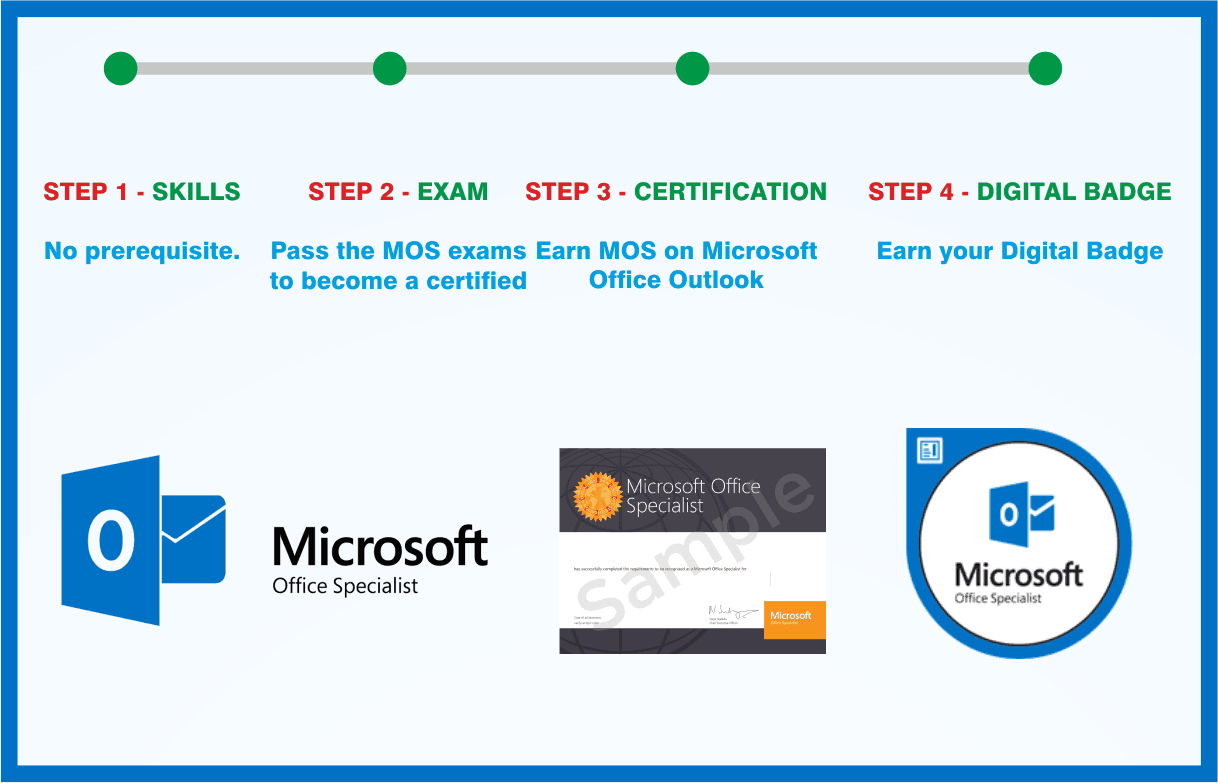 MOS: Microsoft Office Outlook Associate
 MCE: Microsoft Certified Educator
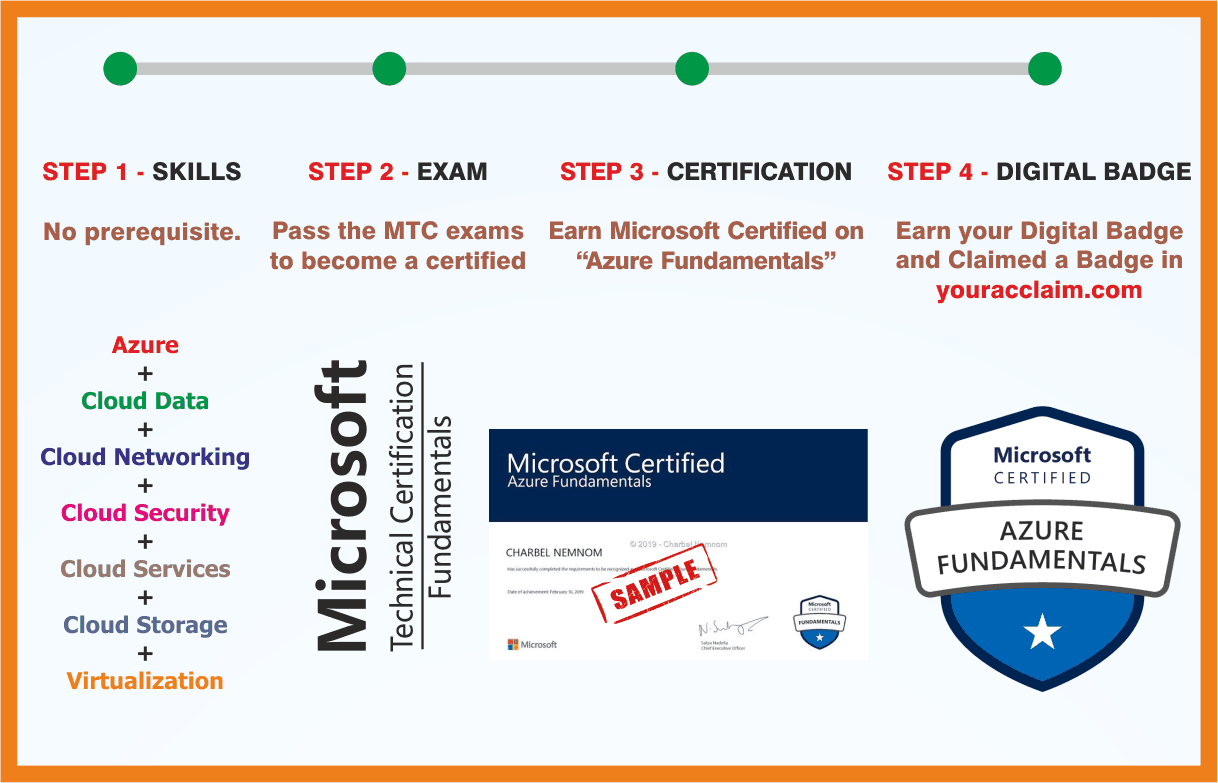 Azure Fundamentals
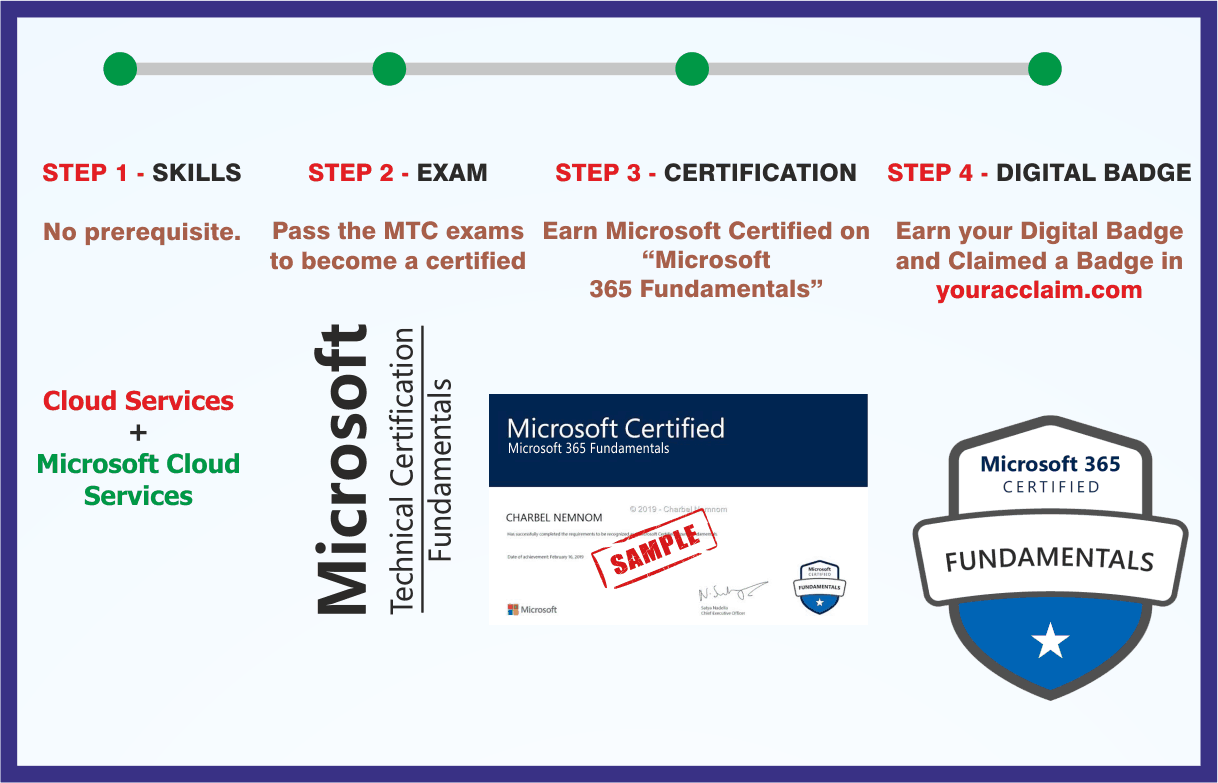 Microsoft 365 Fundamentals
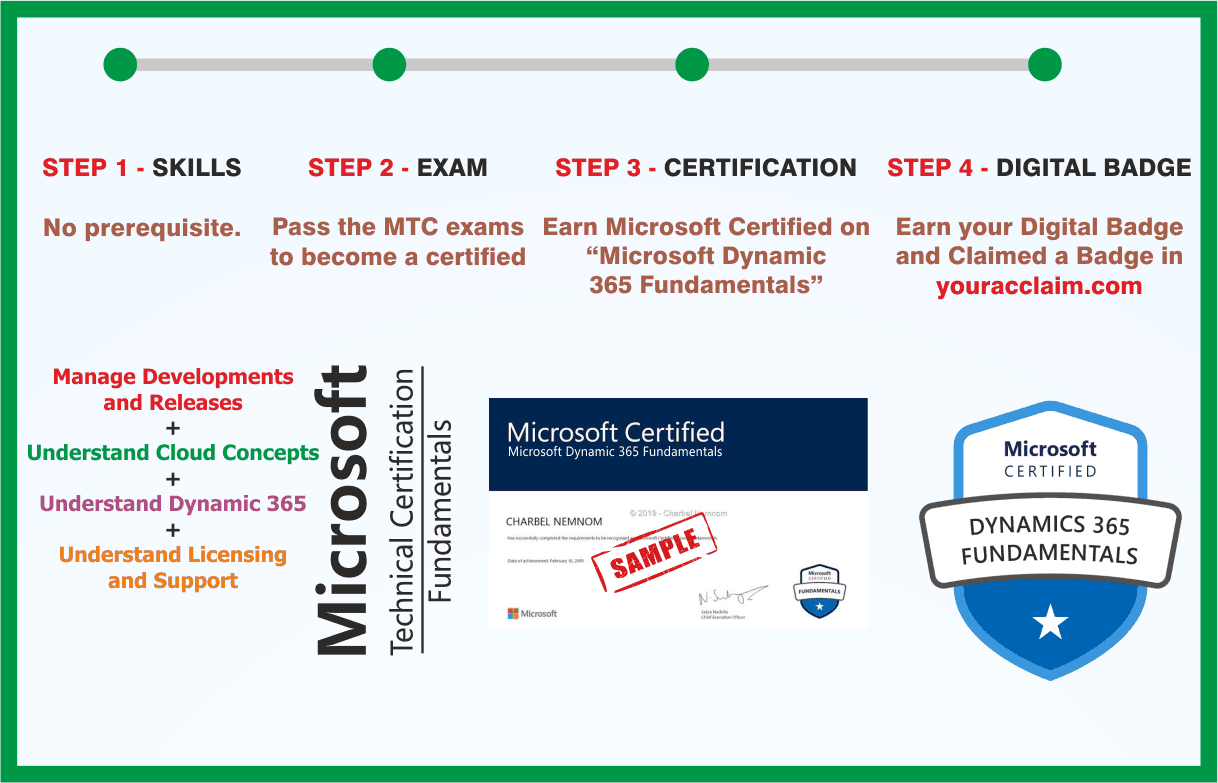 Microsoft Dynamics 365 Fundamentals
