Classroom & live online 24 Hours Verifiable certificate Syllabus ↓

MOS: Microsoft Office Excel Expert Course

Learn advanced Excel: XLOOKUP, nested functions, PivotTables, what-if analysis, macros and advanced charts.

Your roadmap — from admission to certificate

  1. Free counselling

    Talk to our counsellor — choose the right course, batch time and mode.

  2. Admission

    Join at a CADD centre near you or online. You get your student login and ID card.

  3. Learn step by step

    24 Hours of hands-on MOS: Microsoft Office Excel Expert classes — in the classroom or live online.

    Manage WorkbooksManage Workbook ReviewApply Custom Data Formats and ValidationCreate and Modify Custom Workbook ElementsPrepare a Workbook for InternationalizationApply Functions in FormulasLook up data by using FunctionsApply Advanced Date and Time FunctionsPerform Data Analysis and Business IntelligenceTroubleshoot Formulas
  4. Practice & project

    Exercises in every class and a final project, checked by your trainer.

  5. Course completion certificate + completion badge

    Finish the course and get your course-completion certificate and a digital completion badge with your name.
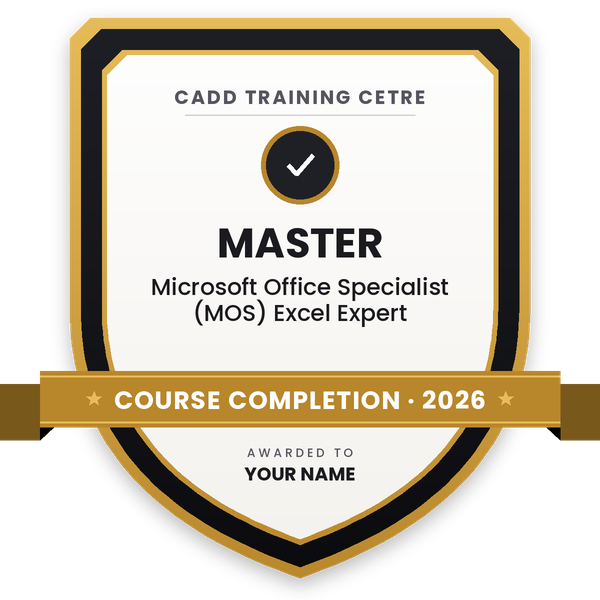
    Course-completion badge — Microsoft Office Specialist (MOS) Excel Expert
    Course-completion badge
    Course
    Microsoft Office Specialist (MOS) Excel Expert
    Issued by
    CADD Training Cetre
    Training
    Classroom or live online
    How to earn
    Complete the course and its project
    With your name and year · its own verify link · “Add to profile” on LinkedIn
  6. Certification exam

    Take the certification exam: a theory test and a practical task — at the centre or online.

  7. Certified certificate + marksheet

    Pass the exam and get the certified certificate with your marksheet. Anyone can check it online with its QR code.

  8. Certified badge

    Your certified badge — add it to LinkedIn and share it anywhere; it opens its own verify page.
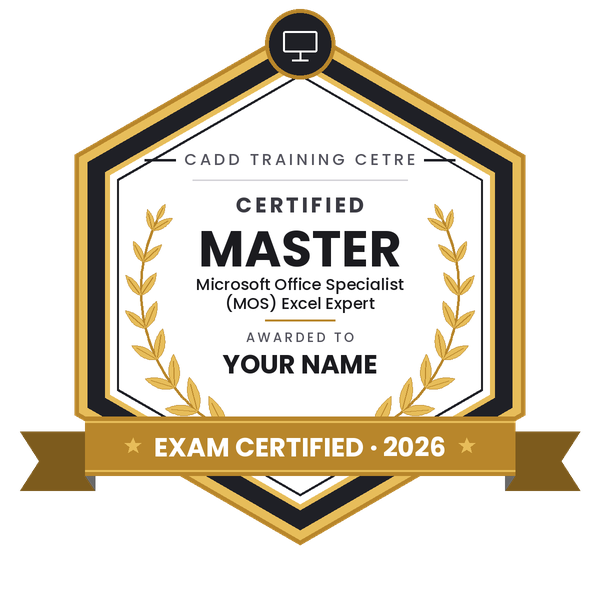
    Certified badge — Microsoft Office Specialist (MOS) Excel Expert
    Certified badge
    Course
    Microsoft Office Specialist (MOS) Excel Expert
    Issued by
    CADD Training Cetre
    Training
    Classroom or live online
    How to earn
    Pass the certification exam
    You also get
    Certified certificate + marksheet
    With your name and year · its own verify link · “Add to profile” on LinkedIn
  9. Make your CV & apply for jobs

    Make your CV in your student panel (Career → My CV) — your course, certificates and projects are added for you. Send it as a link with a preview picture, and apply to jobs and Hire Me requests from companies.

About the MOS: Microsoft Office Excel Expert course

Microsoft Excel is the standard tool for working with numbers in business. Accountants, analysts, MIS teams, engineers and managers use its advanced features to clean large data sets, build reports, compare scenarios and automate repetitive work, which makes advanced Excel one of the most requested office skills.

This 24-hour MOS Excel Expert course builds on Excel Associate skills and follows the skill areas of the Microsoft Office Specialist Excel Expert objectives. You learn workbook options, protection and links between workbooks; custom number formats, advanced conditional formatting and data validation; and logical and lookup functions such as IFS, SWITCH, SUMIFS, COUNTIFS, MAXIFS, XLOOKUP, INDEX and MATCH. You then use Goal Seek, Scenario Manager, Consolidate and financial functions such as PMT, audit formulas with Trace Precedents, Evaluate Formula and the Watch Window, record simple macros, and build PivotTables, PivotCharts with slicers, and advanced charts such as combo, waterfall and histogram. Training is hands-on with business data, in the classroom at CADD centres or in live online classes.

These skills support MIS executive, data analyst, accounts and finance roles. Your counsellor can advise on taking the Microsoft Office Specialist exam.

You will be able to

  • Manage workbook options, protection, versions and links between workbooks
  • Apply custom number formats, data validation and formula-based conditional formatting
  • Write nested logical and lookup formulas with IFS, SUMIFS, XLOOKUP, INDEX and MATCH
  • Solve what-if questions with Goal Seek, Scenario Manager and Consolidate
  • Audit and troubleshoot formulas with Trace Precedents, Evaluate Formula and Watch Window
  • Summarise data with PivotTables, PivotCharts, slicers and timelines
  • Record simple macros to automate repetitive tasks

Who it is for

  • Accounts, finance and MIS professionals
  • Data analysts and business analysts starting out
  • Engineers and managers who build reports in Excel
  • Learners preparing for the Microsoft Office Specialist Excel Expert exam

What you need

  • Good working knowledge of Excel formulas, tables and charts at Associate level
  • Microsoft Excel on a PC for practice and live online classes

Courses that include MOS: Microsoft Office Excel Expert

Microsoft Office Specialist (MOS) Excel ExpertMicrosoft Office Specialist (MOS) · 24 Hours
Enquire →
Data Analyst (Excel, Power BI, Python) – Associate Career ProgramAssociate Career Program · 72 Hours · 3 software
Enquire →
Quantity Surveyor / Billing Engineer – Associate Career ProgramAssociate Career Program · 78 Hours · 3 software
Enquire →
Data Analyst (Excel, Power BI, Python) – Professional Career ProgramProfessional Career Program · 192 Hours · 5 software
Enquire →
Office Executive / Computer Operator – Associate Career ProgramAssociate Career Program · 136 Hours · 5 software
Enquire →
Quantity Surveyor / Billing Engineer – Professional Career ProgramProfessional Career Program · 118 Hours, 3 Months · 5 software
Enquire →
Store & Material Executive – Professional Career ProgramProfessional Career Program · 3 Months, 168 Hours · 5 software
Enquire →
Accountant (Tally & GST) – Professional Career ProgramProfessional Career Program · 318 Hours · 6 software
Enquire →
Microsoft Office Specialist Master in Microsoft Office 2016Microsoft Office Specialist (MOS) · 192 Hours · 8 software
Enquire →
Office Executive / Computer Operator – Professional Career ProgramProfessional Career Program · 224 Hours, 3 Months · 9 software
Enquire →

MOS: Microsoft Office Excel Expert Syllabus

14 chapters · 63 topics
01 Manage Workbooks 6 topics
  1. Save a workbook as a template
  2. Copy macros between workbooks
  3. Reference data in another workbook
  4. Reference data by using structured references
  5. Enable macros in a workbook
  6. Display hidden ribbon tabs
02 Manage Workbook Review 6 topics
  1. Restrict editing
  2. Protect a worksheet
  3. Configure formula calculation options
  4. Protect workbook structure
  5. Manage workbook versions
  6. Encrypt a workbook with a password
03 Apply Custom Data Formats and Validation 7 topics
  1. Create custom number formats
  2. Populate cells by using advanced Fill Series options
  3. Configure data validation
  4. Apply Advanced Conditional Formatting and Filtering
  5. Create custom conditional formatting rules
  6. Create conditional formatting rules that use formulas
  7. Manage conditional formatting rules
04 Create and Modify Custom Workbook Elements 5 topics
  1. Create custom color formats
  2. Create and modify cell styles
  3. Create and modify custom themes
  4. Create and modify simple macros
  5. Insert and configure form controls
05 Prepare a Workbook for Internationalization 3 topics
  1. Display data in multiple international formats
  2. Apply international currency formats
  3. Manage multiple options for +Body and +Heading fonts
06 Apply Functions in Formulas 3 topics
  1. Perform logical operations by using AND, OR, and NOT functions
  2. Perform logical operations by using nested functions
  3. Perform statistical operations by using SUMIFS, AVERAGEIFS, and COUNTIFS functions
07 Look up data by using Functions 4 topics
  1. Look up data by using the VLOOKUP function
  2. Look up data by using the HLOOKUP function
  3. Look up data by using the MATCH function
  4. Look up data by using the INDEX function
08 Apply Advanced Date and Time Functions 2 topics
  1. Reference the date and time by using the NOW and TODAY functions
  2. Serialize numbers by using date and time functions
09 Perform Data Analysis and Business Intelligence 5 topics
  1. Import, transform, combine, display, and connect to data
  2. Consolidate data
  3. Perform what-if analysis by using Goal Seek and Scenario Manager
  4. Use cube functions to get data out of the Excel data model
  5. Calculate data by using financial functions
10 Troubleshoot Formulas 4 topics
  1. Trace precedence and dependence
  2. Monitor cells and formulas by using the Watch Window
  3. Validate formulas by using error checking rules
  4. Evaluate formulas
11 Define Named Ranges and Objects 4 topics
  1. Name cells
  2. Name data ranges
  3. Name tables
  4. Manage named ranges and objects
12 Create Advanced Charts 3 topics
  1. Add trendlines to charts
  2. Create dual-axis charts
  3. Save a chart as a template
13 Create and Manage PivotTables 7 topics
  1. Create PivotTables
  2. Modify field selections and options
  3. Create slicers
  4. Group PivotTable data
  5. Reference data in a PivotTable by using the GETPIVOTDATA function
  6. Add calculated fields
  7. Format data
14 Create and Manage Pivot Charts 4 topics
  1. Create PivotCharts
  2. Manipulate options in existing PivotCharts
  3. Apply styles to PivotCharts
  4. Drill down into PivotChart details

Ratings & reviews

Students rate the course after they finish it — their ratings appear here.

MOS: Microsoft Office Excel Expert course — FAQ

What is included in the Advanced Excel Expert course?

The course covers workbook management and protection, advanced data formatting and validation, nested and lookup functions, what-if analysis, formula auditing, macros, PivotTables, PivotCharts and advanced chart types.

Should I learn Excel Associate before Excel Expert?

Yes. Excel Expert assumes you already handle formulas, tables and charts confidently. If you are new to Excel, start with MOS Excel Associate.

How long is the MOS Excel Expert course?

The MOS Excel Expert course is 24 hours long and is built around exercises on real business data such as sales, payroll-style and inventory sheets.

Can I learn advanced Excel online?

Yes. Besides classroom training at CADD centres, MOS Excel Expert runs as live online classes in which you practise on business data on your own computer with trainer support.

Do I get a certificate after the Excel Expert course?

Yes. A CADD Training Centre certificate is issued when you finish the MOS Excel Expert course, and an MIS or finance employer can check it online by scanning its QR code. The counsellor can also guide you on the Microsoft Office Specialist exam.

What jobs need advanced Excel skills?

Advanced Excel is expected for MIS executive, data analyst, financial analyst, accounts executive, operations coordinator and reporting roles in almost every industry.

What is the difference between VLOOKUP and XLOOKUP?

VLOOKUP searches only the first column of a range and returns a value to its right. XLOOKUP can look in any direction, returns exact matches by default and handles missing values neatly, so it is more flexible.

More questions? Ask our counsellor or read the general FAQ.
MOS: Microsoft Office Excel Expert24 Hours
Enquire now