A civil site engineer turns drawings into finished work on site, managing quality, quantities and daily progress. This roadmap covers field-ready practical and software training, AutoCAD, Excel, MS Project and Primavera P6.
Understand setting out, levelling, reinforcement and shuttering checks, concrete work, material testing, measurement and site records through practical field-oriented training.
Learn the software a civil engineer uses in a construction company for drawings, estimation, design checks and reporting, with work based on real project examples.
Open, measure and update architectural and structural drawings, prepare small site sketches and as-built changes, and print drawings to the correct scale for the site team.
Use formulas, tables and charts for quantity calculations, bar bending schedules, material reconciliation and daily and monthly progress reports.
Break the work into activities, link them, assign resources and track progress in a Gantt chart, useful for building and smaller site projects.
Read and update the WBS, activities and critical path in Primavera P6, so you can report site progress in the format larger contractors and clients use.
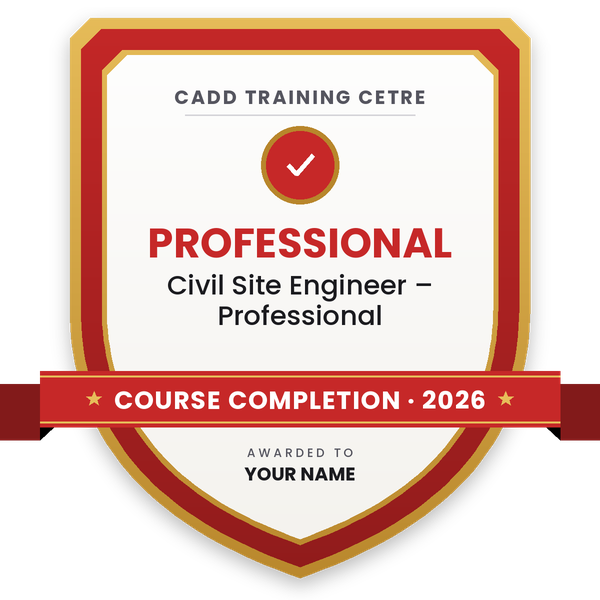
Finish the program and its project — you get the course-completion certificate and a digital completion badge with your name.

Take the certification exam: a theory test on the software of the program and a practical task of the job — at the centre or online.
Pass the exam and get the certified certificate with your marksheet. Anyone can check it online with its QR code.
Your certified badge — add it to LinkedIn and share it anywhere; it opens its own verify page.

Make your CV in your student panel (Career → My CV) — your program, certificates and projects are added for you. Send it as a link with a preview picture, apply to jobs and answer Hire Me requests from companies.
The counsellor can shorten or extend this plan for your qualification and the time you have. Ask for your personal plan →
Join at the level that suits you — each level is a complete course you can enrol in.
Entry job — the first steps of the roadmap
The whole roadmap — every software of the job
A civil site engineer makes sure a structure is built exactly as the drawings and specifications say. On a normal day you set out the work, check reinforcement and shuttering before a concrete pour, supervise masonry, plaster and finishing, test materials, measure the work done, keep the site diary and plan the next day's labour, material and machinery with the contractor and supervisors.
Site engineers work with building and real-estate contractors, infrastructure and road contractors, EPC companies, government project contractors, project management consultancies and owners who monitor their own projects. The work involves a lot of coordination with architects, consultants, suppliers, subcontractors and the client's engineers.
Freshers often know theory but struggle on a real site with reading drawings, checking bar bending schedules, calculating quantities and reporting progress. Companies therefore value engineers who already understand site practice and can use AutoCAD, Excel and planning software. Site experience is also the base for later moves into billing, planning, quality or project management.
Learn practical site work such as setting out, reinforcement checks, concrete work and measurement, then add AutoCAD, Excel and basic planning software. A site internship or trainee job with a contractor helps you apply this knowledge quickly.
AutoCAD to read and mark up drawings and Excel for quantities, bar bending schedules and reports are used daily. MS Project and Primavera P6 help when you report progress or move towards planning roles.
Many contractors hire freshers as trainees or junior site engineers. Freshers who understand site practice, can read drawings and can prepare quantities in Excel are usually ready to contribute sooner.
The training roadmap above usually takes several months to complete. Real confidence comes from working on site, so combine the course with site visits or an internship where possible.
A supervisor mainly manages labour and daily work. A site engineer is responsible for technical correctness, quality checks, measurements, quantities and coordination with consultants and the client.
Yes. CADD Training Centre runs classroom and live online classes for AutoCAD, Excel, MS Project and Primavera P6. Practical site training is best done in person with real site exposure.
More questions? Ask our counsellor or see all career roadmaps.
 Civil Draughtsman (AutoCAD)A civil draughtsman turns engineers' sketches and site data into accurate building and site drawings. This roadmap takes you from drawing basics to AutoCAD, Civil 3D site plans and an introduction to Revit.
 Structural Design EngineerA structural design engineer analyses and designs the frames, slabs, beams, columns and foundations that keep buildings safe. This roadmap builds your skills in STAAD Pro, ETABS, RCDC, foundation design and Revit Structure.
 BIM ModelerA BIM modeler builds intelligent 3D building models that carry the data needed for drawings, quantities and coordination. This roadmap takes you through Revit Architecture, Structure and MEP, Navisworks, Dynamo and cloud collaboration.
 Road & Highway Design EngineerA road and highway design engineer plans the alignment, levels and cross-sections of roads using survey data. This roadmap takes you from AutoCAD to Civil 3D corridor design, survey processing, MXROAD and project visualisation.
 Land Surveyor (CAD)A land surveyor measures land and buildings in the field and turns the data into accurate CAD maps and plans. This roadmap covers field surveying, AutoCAD, Civil 3D surfaces, survey data processing and GIS mapping in Map 3D.
 Project Planning Engineer (Primavera / MS Project)A project planning engineer builds and tracks the schedule that keeps a construction or engineering project on time. This roadmap covers Excel, reading drawings, MS Project, Primavera P6 basics and advanced, and 4D planning.