Classroom & live online 60 Hours Verifiable certificate Syllabus ↓

NX for Industrial Designer Course

Siemens NX for industrial design: freeform curves, styled surfaces, Realize Shape, surface analysis and rendering.

Your roadmap — from admission to certificate

  1. Free counselling

    Talk to our counsellor — choose the right course, batch time and mode.

  2. Admission

    Join at a CADD centre near you or online. You get your student login and ID card.

  3. Learn step by step

    60 Hours of hands-on NX for Industrial Designer classes — in the classroom or live online.

    NX Environment for Industrial DesignSketching and Concept ImagesCurve Creation and EditingFreeform Surface ModellingSubdivision Modelling with Realize ShapeSurface Quality and AnalysisFrom Surfaces to Product PartsVisualisation and RenderingIndustrial Design Project
  4. Practice & project

    Exercises in every class and a final project, checked by your trainer.

  5. Course completion certificate + completion badge

    Finish the course and get your course-completion certificate and a digital completion badge with your name.
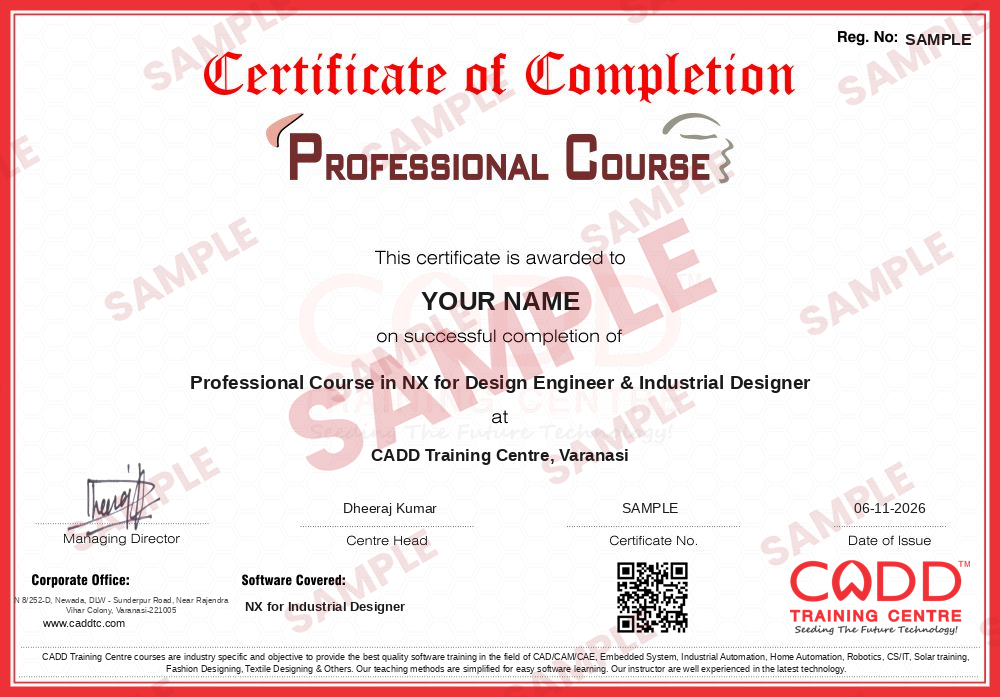
    Sample course-completion certificate — Professional Course in NX for Design Engineer & Industrial Designer
    Course-completion certificate (sample) — Professional Course in NX for Design Engineer & Industrial Designer · verifiable online
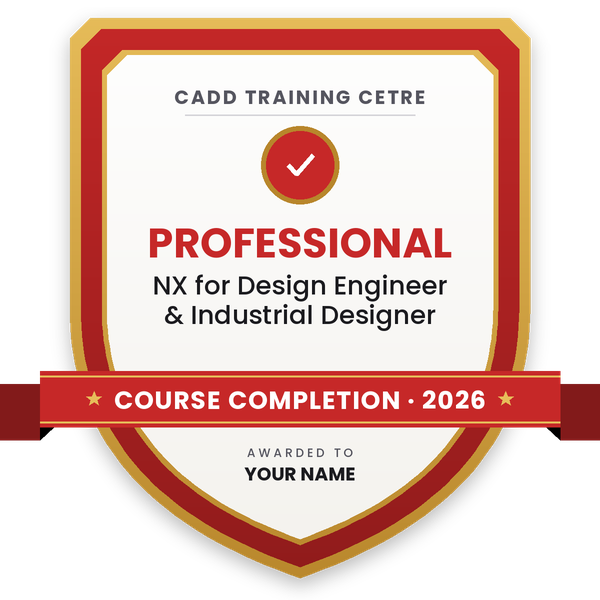
    Course-completion badge — Professional Course in NX for Design Engineer & Industrial Designer
    Course-completion badge
    Course
    Professional Course in NX for Design Engineer & Industrial Designer
    Issued by
    CADD Training Cetre
    Training
    Classroom or live online
    How to earn
    Complete the course and its project
    With your name and year · its own verify link · “Add to profile” on LinkedIn
  6. Certification exam

    Take the certification exam: a theory test and a practical task — at the centre or online.

  7. Certified certificate + marksheet

    Pass the exam and get the certified certificate with your marksheet. Anyone can check it online with its QR code.

  8. Certified badge

    Your certified badge — add it to LinkedIn and share it anywhere; it opens its own verify page.
    Certified badge — Professional Course in NX for Design Engineer & Industrial Designer
    Certified badge
    Course
    Professional Course in NX for Design Engineer & Industrial Designer
    Issued by
    CADD Training Cetre
    Training
    Classroom or live online
    How to earn
    Pass the certification exam
    You also get
    Certified certificate + marksheet
    With your name and year · its own verify link · “Add to profile” on LinkedIn
  9. Make your CV & apply for jobs

    Make your CV in your student panel (Career → My CV) — your course, certificates and projects are added for you. Send it as a link with a preview picture, and apply to jobs and Hire Me requests from companies.

About the NX for Industrial Designer course

Siemens NX is a high-end CAD/CAM/CAE system used by automotive, aerospace, appliance and consumer product companies. Its Shape Studio tools, Realize Shape subdivision modelling and built-in rendering allow industrial designers to sculpt product forms and hand clean, high-quality surface data to engineering within the same software, avoiding conversions between separate styling and CAD packages.

This 60-hour course is dedicated to the styling side of NX. You get comfortable with the interface, Part Navigator and Shape Studio, trace concepts from raster images and build smooth studio splines. You then create and edit curves with bridge, offset, projection and X-form tools, and develop freeform surfaces using Through Curves, Through Curve Mesh, Studio Surface, N-sided and blend surfaces. Realize Shape teaches cage-based subdivision modelling for organic forms, while surface analysis covers G0, G1 and G2 continuity, reflection and draft checks. Finally you sew surfaces into solids, split a product into parts, render it with Ray Traced Studio and present a styled consumer product. Sessions are practical, in classrooms at CADD centres or live online, and lead to a CADD Training Centre certificate that is verifiable online.

Unlike NX for Design Engineer, which centres on parametric parts and assemblies, this course builds industrial designer, surface modeller and product styling engineer skills.

You will be able to

  • Build clean curves for styling using studio splines and curve tools
  • Create freeform surfaces with Through Curves, Curve Mesh and Studio Surface
  • Model organic product forms using NX Realize Shape
  • Check surface continuity with curvature combs and reflection analysis
  • Convert styled surfaces into solid parts ready for engineering
  • Render product visuals with materials, lighting and scenes
  • Present a styled consumer product design as a final project

Who it is for

  • Industrial and product design students
  • Mechanical students who want styling and surfacing skills
  • Designers in automotive, appliance and consumer product companies
  • NX users who want to move into freeform design

What you need

  • Basic computer skills and interest in product form
  • Basic 3D CAD knowledge helps; NX basics are covered at the start
  • For live online classes: a Windows PC with 16 GB RAM and a dedicated graphics card

Courses that include NX for Industrial Designer

Professional Course in NX for Design Engineer & Industrial DesignerProfessional Course · 120 Hours · 2 software
Enquire →
Automotive Design Engineer (CATIA / NX) – Professional Career ProgramProfessional Career Program · 280 Hours · 6 software
Enquire →

NX for Industrial Designer Syllabus

9 chapters · 44 topics
01 NX Environment for Industrial Design 5 topics
  1. NX interface, ribbon and resource bar
  2. Part Navigator and model history
  3. Shape Studio application overview
  4. View orientation, display and selection tools
  5. Layers and file organisation
02 Sketching and Concept Images 5 topics
  1. Sketch task environment and constraints
  2. Raster images for concept tracing
  3. Studio Spline and control points
  4. Curve degree and smoothness
  5. Planning a product shape from sketches
03 Curve Creation and Editing 5 topics
  1. Bridge Curve and Offset Curve
  2. Project Curve and Intersection Curve
  3. Combined Projection
  4. Curve editing with X-form
  5. Curve analysis with curvature combs
04 Freeform Surface Modelling 5 topics
  1. Through Curves and Through Curve Mesh
  2. Swept and Studio Surface
  3. Ruled and N-sided surfaces
  4. Bridge Surface and Face Blend
  5. Extension, trimming and sewing surfaces
05 Subdivision Modelling with Realize Shape 5 topics
  1. Realize Shape task environment
  2. Primitive shapes and cage editing
  3. Transform cage, extrude and subdivide faces
  4. Symmetric modelling
  5. Combining Realize Shape bodies with features
06 Surface Quality and Analysis 5 topics
  1. G0, G1 and G2 continuity
  2. Reflection and surface curvature analysis
  3. Draft analysis
  4. Deviation checking
  5. Repairing and improving surfaces
07 From Surfaces to Product Parts 5 topics
  1. Sewing surfaces into solids
  2. Thicken and shell styled bodies
  3. Splitting a product into parts
  4. Parting lines and draft for moulding
  5. Basic assembly of product parts
08 Visualisation and Rendering 5 topics
  1. Materials, textures and colours
  2. Lighting and studio scenes
  3. Ray Traced Studio rendering
  4. Image output for presentations
  5. Presentation views and exploded views
09 Industrial Design Project 4 topics
  1. Project: styled consumer product from concept sketch
  2. Surface quality review
  3. Final render and presentation sheet
  4. Certificate assessment

Ratings & reviews

Students rate the course after they finish it — their ratings appear here.

NX for Industrial Designer course — FAQ

Is Siemens NX good for industrial design?

Yes. NX includes freeform curve and surface tools, subdivision modelling with Realize Shape and rendering, so industrial designers can style a product and hand clean data straight to engineering in the same system.

What will I learn in NX for Industrial Designer?

Curve building, freeform surfacing, Realize Shape subdivision modelling, surface quality analysis, turning surfaces into product parts and rendering, finishing with a styled product project.

What is the duration of the NX industrial design course?

The NX for Industrial Designer course is 60 hours long, with hands-on practice in every session.

Are NX industrial design classes held online?

Yes. NX for Industrial Designer is taught live online as well as in CADD Training Centre classrooms. Online, you build freeform surfaces on your PC while the trainer reviews surface quality with you.

Will I get a certificate for NX industrial design training?

You do. Finishing NX for Industrial Designer gives you a CADD Training Centre certificate, and because it can be verified online, a styling or product design team can trust it without calling the centre.

What jobs use NX surfacing skills?

Industrial designer, product styling engineer, surface modeller and concept designer roles in automotive, appliance and consumer product companies. Career guidance and placement support are provided.

What is the difference between NX for Design Engineer and NX for Industrial Designer?

The design engineer course focuses on parametric parts, assemblies and drawings, while the industrial designer course concentrates on freeform curves, styled surfaces, surface quality and rendering.

More questions? Ask our counsellor or read the general FAQ.

NX for Industrial Designer60 Hours
Enquire now