Classroom & live online 60 Hours Verifiable certificate Syllabus ↓

AutoLISP & CAD Automation Course

AutoLISP course: variables, lists, user input, entity selection and editing, loops, DCL dialogs, scripts, action recorder and Python for AutoCAD.

Your roadmap — from admission to certificate

  1. Free counselling

    Talk to our counsellor — choose the right course, batch time and mode.

  2. Admission

    Join at a CADD centre near you or online. You get your student login and ID card.

  3. Learn step by step

    60 Hours of hands-on AutoLISP & CAD Automation classes — in the classroom or live online.

    Introduction to CAD AutomationScripts, Action Recorder and MacrosAutoLISP BasicsVariables, Strings and ListsUser Input and the command FunctionConditions, Loops and FunctionsEntity Selection and DataModifying and Creating EntitiesDCL Dialog Boxes and File HandlingIntroduction to Python for AutoCAD
  4. Practice & project

    Exercises in every class and a final project, checked by your trainer.

  5. Course completion certificate + completion badge

    Finish the course and get your course-completion certificate and a digital completion badge with your name.
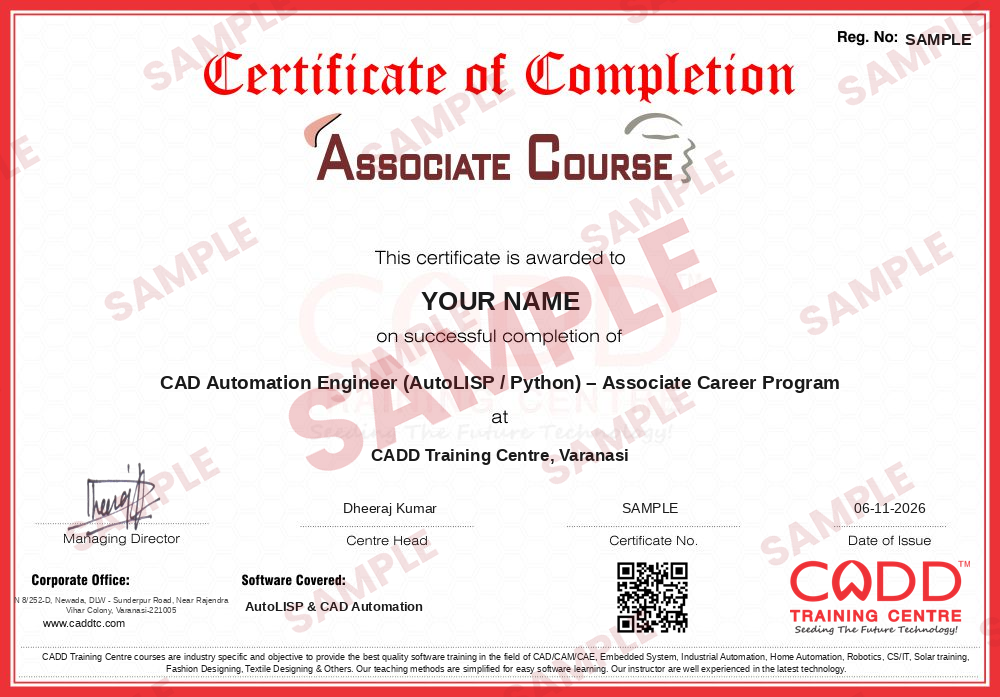
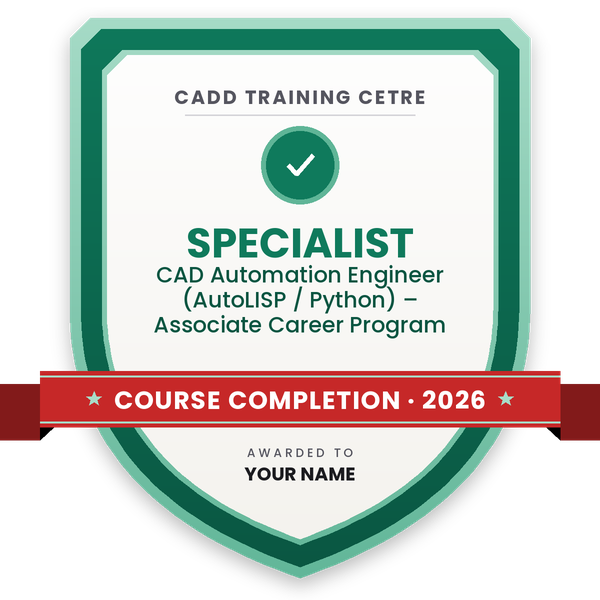
    Sample course-completion certificate — CAD Automation Engineer (AutoLISP / Python) – Associate Career Program
    Course-completion certificate (sample) — CAD Automation Engineer (AutoLISP / Python) – Associate Career Program · verifiable online
    Course-completion badge — CAD Automation Engineer (AutoLISP / Python) – Associate Career Program
    Course-completion badge
    Course
    CAD Automation Engineer (AutoLISP / Python) – Associate Career Program
    Issued by
    CADD Training Cetre
    Training
    Classroom or live online
    How to earn
    Complete the course and its project
    With your name and year · its own verify link · “Add to profile” on LinkedIn
  6. Certification exam

    Take the certification exam: a theory test and a practical task — at the centre or online.

  7. Certified certificate + marksheet

    Pass the exam and get the certified certificate with your marksheet. Anyone can check it online with its QR code.

  8. Certified badge

    Your certified badge — add it to LinkedIn and share it anywhere; it opens its own verify page.
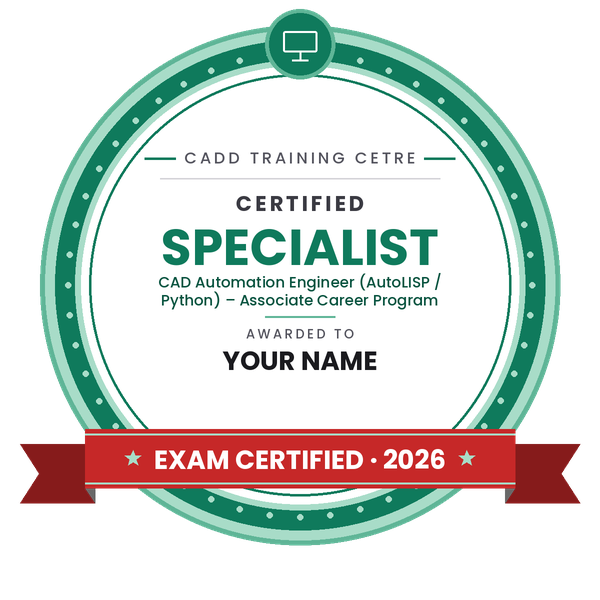
    Certified badge — CAD Automation Engineer (AutoLISP / Python) – Associate Career Program
    Certified badge
    Course
    CAD Automation Engineer (AutoLISP / Python) – Associate Career Program
    Issued by
    CADD Training Cetre
    Training
    Classroom or live online
    How to earn
    Pass the certification exam
    You also get
    Certified certificate + marksheet
    With your name and year · its own verify link · “Add to profile” on LinkedIn
  9. Make your CV & apply for jobs

    Make your CV in your student panel (Career → My CV) — your course, certificates and projects are added for you. Send it as a link with a preview picture, and apply to jobs and Hire Me requests from companies.

About the AutoLISP & CAD Automation course

AutoLISP is the programming language built into AutoCAD for creating custom commands and automating repetitive drawing work. A few lines of AutoLISP can number hundreds of blocks, change layers in one click, draw standard details from typed values or pull quantities from a drawing. Design offices, consultants, detailing firms and manufacturers in civil, architecture, mechanical and electrical fields use LISP routines to save time and keep drawings consistent.

This 60-hour course starts with simple automation and moves into real programming. You first learn scripts, the Action Recorder and command macros, then write AutoLISP code in the Visual Studio Code AutoLISP extension, load it with APPLOAD and the startup suite, and define your own commands. You work with variables, numbers, strings and lists, take user input with getpoint, getreal, getkword and initget, and control the program with if, cond, repeat, while and foreach. Entity chapters cover entsel, ssget with filters, entget, entmod and entmake, so you can read and change lines, text, blocks and attributes. You then create dialog boxes with DCL, read and write text files, handle errors, and get an introduction to automating AutoCAD with Python through its COM interface.

Classes run in the classroom at CADD centres or in live online classes, and the centre provides the software for practice. Every chapter ends with a working routine, and the final project is a tool you can use in daily drafting. After the assessment you receive a CADD Training Centre certificate that can be verified online.

The skills suit CAD engineers, senior draughtsmen and CAD automation developers. Learners often continue with Python or the AutoCAD .NET API for larger tools.

You will be able to

  • Automate repeated tasks with scripts, the Action Recorder and command macros
  • Write, load and debug AutoLISP programs and define custom AutoCAD commands
  • Use variables, strings, lists and functions such as car, cdr, nth and mapcar
  • Take user input safely with get functions and initget
  • Select, read and modify entities with ssget filters, entget, entmod and entmake
  • Build dialog boxes with DCL and link them to AutoLISP code
  • Automate simple AutoCAD tasks with Python through the COM interface

Who it is for

  • AutoCAD users and draughtsmen who repeat the same tasks every day
  • Civil, mechanical, electrical and architecture engineers and students
  • CAD managers who want to standardise drawings in their office
  • Learners interested in CAD customisation and plugin development

What you need

  • Good working knowledge of AutoCAD 2D commands
  • Logical thinking; no earlier programming experience is needed
  • For live online classes: a Windows PC with 8 GB RAM or more

Courses that include AutoLISP & CAD Automation

CAD Automation Engineer (AutoLISP / Python) – Associate Career ProgramAssociate Career Program · 100 Hours · 3 software
Enquire →
CAD Automation Engineer (AutoLISP / Python) – Professional Career ProgramProfessional Career Program · 184 Hours · 5 software
Enquire →

AutoLISP & CAD Automation Syllabus

11 chapters · 61 topics
01 Introduction to CAD Automation 5 topics
  1. Why automate AutoCAD work
  2. Scripts, macros, AutoLISP, .NET and Python: an overview
  3. Command line, system variables and command behaviour
  4. Where AutoLISP fits in AutoCAD
  5. Examples of time-saving routines
02 Scripts, Action Recorder and Macros 5 topics
  1. Writing script (.scr) files
  2. Running scripts on single and multiple drawings
  3. Recording and editing actions with the Action Recorder
  4. Command macros in the CUI editor
  5. Custom ribbon buttons and tool palettes
03 AutoLISP Basics 6 topics
  1. Setting up the VS Code AutoLISP extension
  2. Loading code with APPLOAD and the startup suite
  3. acad.lsp and acaddoc.lsp
  4. Syntax, parentheses and comments
  5. Defining commands with defun c:
  6. Arithmetic and math functions
04 Variables, Strings and Lists 6 topics
  1. setq and data types
  2. String functions: strcat, substr, strlen
  3. Converting with rtos, atof, itoa and atoi
  4. Creating lists with list and cons
  5. car, cdr, nth, length and append
  6. Point lists and polar, distance and angle
05 User Input and the command Function 6 topics
  1. getpoint, getdist, getreal and getint
  2. getstring and getkword
  3. Restricting input with initget
  4. Using the command function
  5. Saving and restoring system variables
  6. Drawing a parametric detail from user input
06 Conditions, Loops and Functions 6 topics
  1. if, progn and cond
  2. Comparison and logical operators
  3. repeat and while loops
  4. foreach and mapcar with lambda
  5. Local variables and user functions
  6. Error handling with *error*
07 Entity Selection and Data 6 topics
  1. entsel and nentsel
  2. Selection sets with ssget
  3. ssget filters by layer, type and colour
  4. Looping through selection sets with ssname and sslength
  5. Entity data lists and DXF group codes
  6. Reading data with entget and assoc
08 Modifying and Creating Entities 6 topics
  1. Changing entities with subst and entmod
  2. Creating entities with entmake
  3. Working with text and multiline text
  4. Blocks and attributes
  5. Layers and the tblsearch function
  6. Batch changes across a drawing
09 DCL Dialog Boxes and File Handling 5 topics
  1. DCL file structure and tiles
  2. Buttons, edit boxes, list boxes and toggles
  3. load_dialog, new_dialog and action_tile
  4. Reading and writing text and CSV files
  5. Exporting drawing data to Excel through CSV
10 Introduction to Python for AutoCAD 5 topics
  1. How Python connects to AutoCAD through COM
  2. Setting up Python with pywin32 or pyautocad
  3. Drawing lines, circles and text from Python
  4. Reading block and text data from a drawing
  5. Processing DXF files with ezdxf
11 CAD Automation Project 5 topics
  1. Project brief: a daily-use tool for your discipline
  2. Planning the routine and user input
  3. Writing the AutoLISP code with a DCL dialog
  4. Testing, error handling and loading on startup
  5. Documentation and demonstration

Ratings & reviews

Students rate the course after they finish it — their ratings appear here.

AutoLISP & CAD Automation course — FAQ

What is AutoLISP used for?

AutoLISP is used to create custom commands and automate repeated work in AutoCAD, such as numbering objects, changing layers, drawing standard details, editing text and blocks and extracting drawing data.

Who can join the AutoLISP & CAD Automation course?

AutoCAD users, draughtsmen, engineers and CAD managers from any discipline can join. You need good AutoCAD knowledge, but no earlier programming experience is required.

How long is the AutoLISP course?

The AutoLISP & CAD Automation course is 60 hours long, covering scripts and macros, AutoLISP programming, entity editing, DCL dialogs, file handling, Python basics for AutoCAD and a final project.

Can I learn AutoLISP online?

Yes. You can attend classroom batches at CADD centres or live online classes. The centre provides the software for practice, and you write and test routines with the trainer.

Do I need to know programming before learning AutoLISP?

No. The course starts with scripts and simple routines and builds up step by step. Knowing AutoCAD commands well matters more, because AutoLISP controls those same commands.

Is there a certification exam for AutoLISP?

This course does not include a global certification exam. You complete an internal theory and practical assessment and receive a CADD Training Centre certificate that can be verified online.

More questions? Ask our counsellor or read the general FAQ.

AutoLISP & CAD Automation60 Hours
Enquire now