Classroom & live online 12 Months Verifiable certificate Syllabus ↓

MS Office, Tally, Photoshop, CorelDRAW & Internet Course

One-year computer course: MS Office, TallyPrime accounting, Photoshop, CorelDRAW and internet skills.

Your roadmap — from admission to certificate

  1. Free counselling

    Talk to our counsellor — choose the right course, batch time and mode.

  2. Admission

    Join at a CADD centre near you or online. You get your student login and ID card.

  3. Learn step by step

    12 Months of hands-on MS Office, Tally, Photoshop, CorelDRAW & Internet classes — in the classroom or live online.

    Computer FundamentalsWindows Operating SystemMS WordMS ExcelMS PowerPointInternet, Email and Online ServicesAccounting Basics and TallyPrime SetupTallyPrime Vouchers and InventoryGST and Reports in TallyAdobe Photoshop Basics
  4. Practice & project

    Exercises in every class and a final project, checked by your trainer.

  5. Course completion certificate + completion badge

    Finish the course and get your course-completion certificate and a digital completion badge with your name.
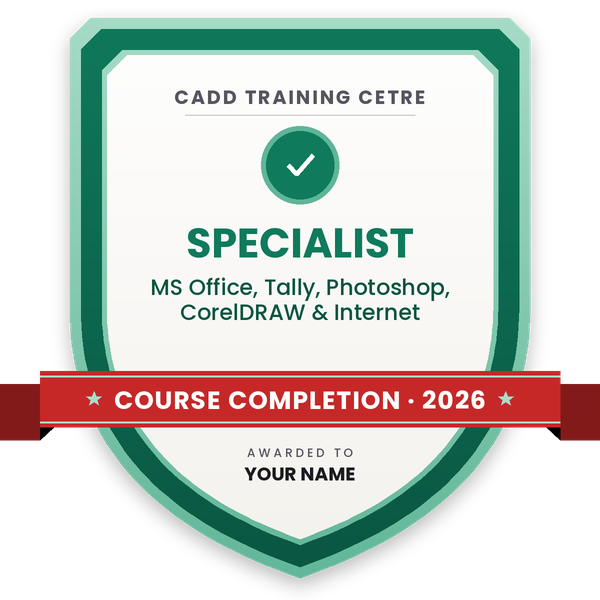
    Course-completion badge — MS Office, Tally, Photoshop, CorelDRAW & Internet
    Course-completion badge
    Course
    MS Office, Tally, Photoshop, CorelDRAW & Internet
    Issued by
    CADD Training Cetre
    Training
    Classroom or live online
    How to earn
    Complete the course and its project
    With your name and year · its own verify link · “Add to profile” on LinkedIn
  6. Certification exam

    Take the certification exam: a theory test and a practical task — at the centre or online.

  7. Certified certificate + marksheet

    Pass the exam and get the certified certificate with your marksheet. Anyone can check it online with its QR code.

  8. Certified badge

    Your certified badge — add it to LinkedIn and share it anywhere; it opens its own verify page.
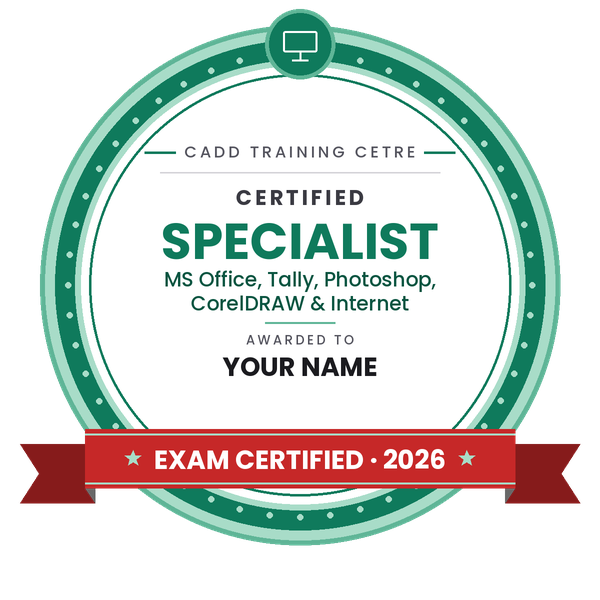
    Certified badge — MS Office, Tally, Photoshop, CorelDRAW & Internet
    Certified badge
    Course
    MS Office, Tally, Photoshop, CorelDRAW & Internet
    Issued by
    CADD Training Cetre
    Training
    Classroom or live online
    How to earn
    Pass the certification exam
    You also get
    Certified certificate + marksheet
    With your name and year · its own verify link · “Add to profile” on LinkedIn
  9. Make your CV & apply for jobs

    Make your CV in your student panel (Career → My CV) — your course, certificates and projects are added for you. Send it as a link with a preview picture, and apply to jobs and Hire Me requests from companies.

About the MS Office, Tally, Photoshop, CorelDRAW & Internet course

This is a one-year, all-round computer programme that combines office productivity, computer accounting and graphic design. Offices, shops, schools, printing presses and small businesses need staff who can type documents, manage Excel sheets, keep accounts in Tally, design a visiting card or banner, and use the internet and email with confidence. This course brings all of those skills together.

Over 12 Months you learn computer fundamentals and Windows, MS Word, Excel and PowerPoint, internet, email and online services, then accounting in TallyPrime with GST basics. The design part covers Adobe Photoshop for photo editing and CorelDRAW for logos, visiting cards, brochures, banners and print layouts. Each module is hands-on with practical assignments and a final portfolio. Classes run in the classroom at CADD Training Centre branches and as live online sessions, and successful students receive a certificate that can be verified online.

The programme suits school leavers, graduates and job seekers who want practical computer skills for office, accounts and DTP work, and small business owners who want to manage their own work.

You will be able to

  • Use Windows, files, folders and common utilities with confidence
  • Create professional documents, spreadsheets and presentations in MS Office
  • Use the internet, email, cloud storage and online services safely
  • Maintain accounts, inventory and GST entries in TallyPrime
  • Edit and retouch photos and create social media graphics in Photoshop
  • Design logos, visiting cards, brochures and banners in CorelDRAW
  • Prepare a portfolio of office, accounting and design work

Who it is for

  • Students after Class 10 or 12 who want job-ready computer skills
  • Graduates from any stream looking for office or accounts jobs
  • Job seekers aiming for computer operator, DTP or accounts roles
  • Shop and small business owners who want to manage their own work

What you need

  • Ability to read and write basic English
  • No earlier computer knowledge is required
  • A PC or laptop with internet access for live online classes

MS Office, Tally, Photoshop, CorelDRAW & Internet Syllabus

14 chapters · 66 topics
01 Computer Fundamentals 5 topics
  1. Parts of a computer: hardware and software
  2. Input, output and storage devices
  3. Operating system basics
  4. Typing practice and keyboard shortcuts
  5. Computer care and safety
02 Windows Operating System 5 topics
  1. Desktop, taskbar and Start menu
  2. Files, folders and File Explorer
  3. Settings, apps and printers
  4. Notepad, Paint and other utilities
  5. Compressing and sharing files
03 MS Word 5 topics
  1. Typing, editing and formatting text
  2. Page layout, headers, footers and page numbers
  3. Tables, pictures and shapes
  4. Mail Merge for letters
  5. Printing and saving as PDF
04 MS Excel 6 topics
  1. Workbooks, worksheets and cell formatting
  2. Formulas and functions: SUM, AVERAGE, IF, COUNTIF
  3. VLOOKUP and XLOOKUP
  4. Sorting, filtering and conditional formatting
  5. Charts and PivotTables
  6. Printing sheets
05 MS PowerPoint 4 topics
  1. Slides, layouts and themes
  2. Pictures, charts and SmartArt
  3. Transitions and animations
  4. Presenting a slide show
06 Internet, Email and Online Services 5 topics
  1. Web browsers and search
  2. Creating and using email
  3. Cloud storage: Google Drive and OneDrive
  4. Online forms, DigiLocker and digital payments
  5. Cyber safety and avoiding online fraud
07 Accounting Basics and TallyPrime Setup 4 topics
  1. Accounting terms and golden rules
  2. Company creation in TallyPrime
  3. Groups and ledgers
  4. Shortcut keys and navigation
08 TallyPrime Vouchers and Inventory 4 topics
  1. Contra, payment, receipt and journal vouchers
  2. Sales, purchase, debit and credit notes
  3. Stock groups, units and stock items
  4. Godowns and stock reports
09 GST and Reports in Tally 5 topics
  1. GST setup, ledgers and tax rates
  2. GST invoices
  3. Bank reconciliation
  4. Trial Balance, Profit & Loss and Balance Sheet
  5. Backup and restore
10 Adobe Photoshop Basics 4 topics
  1. Workspace, image size and resolution
  2. Layers and selections
  3. Cropping, straightening and colour correction
  4. Healing, Clone Stamp and retouching
11 Photoshop Design Work 5 topics
  1. Masks and adjustment layers
  2. Text and layer styles
  3. Passport photos and photo cards
  4. Social media posts and posters
  5. Saving for print and web
12 CorelDRAW Basics 5 topics
  1. Interface, pages and tools
  2. Shapes, lines and the Shape tool
  3. Colour, fill and outline
  4. Text, fonts and Text to Path
  5. Weld, trim, intersect and PowerClip
13 CorelDRAW for Print and DTP 5 topics
  1. Logo design
  2. Visiting cards and letterheads
  3. Brochures, flyers and banners
  4. Wedding cards and certificates
  5. Print settings and export to PDF
14 Final Projects and Portfolio 4 topics
  1. Office documentation project
  2. Annual accounts project in Tally
  3. Graphic design portfolio
  4. Resume preparation and interview practice

Ratings & reviews

Students rate the course after they finish it — their ratings appear here.

MS Office, Tally, Photoshop, CorelDRAW & Internet course — FAQ

What is covered in the MS Office, Tally, Photoshop and CorelDRAW course?

The course covers computer basics, Windows, MS Word, Excel and PowerPoint, internet and email, TallyPrime accounting with GST, Photoshop photo editing and CorelDRAW design for print and DTP work.

Who can join this one-year computer course?

Anyone who can read basic English can join: students after Class 10 or 12, graduates, job seekers and small business owners. No earlier computer knowledge is needed.

How long is this computer course?

The programme runs for 12 Months, giving enough time to practise office, accounting and graphic design work step by step.

Can I do this course online?

Yes. This one-year programme runs in the classroom at CADD centres and as live online classes. Online learners need a PC or laptop with MS Office, TallyPrime and design software for practice.

Will I get a certificate after this course?

Yes. At the end of the one-year programme you receive a CADD Training Centre certificate covering MS Office, Tally, Photoshop and CorelDRAW. It can be verified online by QR code or verification code.

What jobs can I get after learning MS Office, Tally and CorelDRAW?

You can apply for roles such as computer operator, office assistant, accounts assistant, data entry operator, DTP operator and junior graphic designer.

Is this course useful for running my own shop or business?

Yes. You can keep your own accounts and GST records in Tally, prepare quotations and letters in Word and Excel, and design your own visiting cards, posters and social media posts.

More questions? Ask our counsellor or read the general FAQ.

MS Office, Tally, Photoshop, CorelDRAW & Internet12 Months
Enquire now