Classroom & live online 80 Hours Verifiable certificate Syllabus ↓

Creo for Industrial Designer Course

Creo course for industrial designers: freeform and style surfacing, product shapes, rendering and drawings.

Your roadmap — from admission to certificate

  1. Free counselling

    Talk to our counsellor — choose the right course, batch time and mode.

  2. Admission

    Join at a CADD centre near you or online. You get your student login and ID card.

  3. Learn step by step

    80 Hours of hands-on Creo for Industrial Designer classes — in the classroom or live online.

    ConceptAdvanced Datum FeaturesBasic And Boundary Blend SurfacesSurface Analysis ToolsExtending, Trimming And Manipulating SurfacesCreating And Editing Solids using QuiltsIntroduction and understanding freeform surface modeling conceptsCreating Curve And Developing surfaceIntroduction and creo Direct and creating sketches in 2D modeCreating Feature And Assemblies creo Direct
  4. Practice & project

    Exercises in every class and a final project, checked by your trainer.

  5. Course completion certificate + completion badge

    Finish the course and get your course-completion certificate and a digital completion badge with your name.
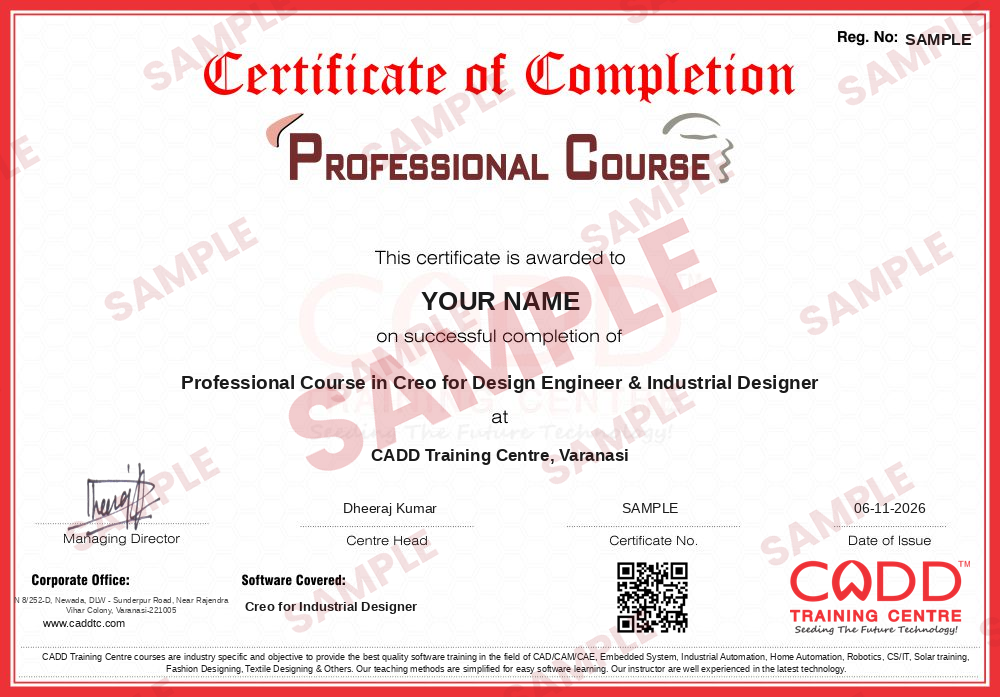
    Sample course-completion certificate — Professional Course in Creo for Design Engineer & Industrial Designer
    Course-completion certificate (sample) — Professional Course in Creo for Design Engineer & Industrial Designer · verifiable online
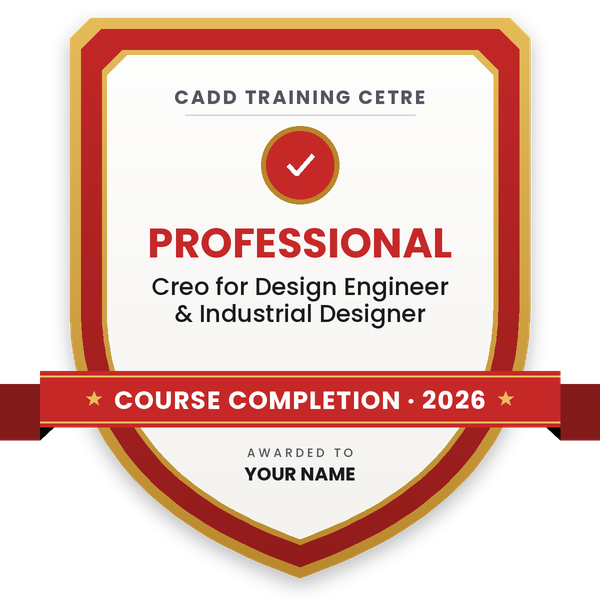
    Course-completion badge — Professional Course in Creo for Design Engineer & Industrial Designer
    Course-completion badge
    Course
    Professional Course in Creo for Design Engineer & Industrial Designer
    Issued by
    CADD Training Cetre
    Training
    Classroom or live online
    How to earn
    Complete the course and its project
    With your name and year · its own verify link · “Add to profile” on LinkedIn
  6. Certification exam

    Take the certification exam: a theory test and a practical task — at the centre or online.

  7. Certified certificate + marksheet

    Pass the exam and get the certified certificate with your marksheet. Anyone can check it online with its QR code.

  8. Certified badge

    Your certified badge — add it to LinkedIn and share it anywhere; it opens its own verify page.

    Certified badge — Professional Course in Creo for Design Engineer & Industrial Designer
    Certified badge
    Course
    Professional Course in Creo for Design Engineer & Industrial Designer
    Issued by
    CADD Training Cetre
    Training
    Classroom or live online
    How to earn
    Pass the certification exam
    You also get
    Certified certificate + marksheet
    With your name and year · its own verify link · “Add to profile” on LinkedIn
  9. Make your CV & apply for jobs

    Make your CV in your student panel (Career → My CV) — your course, certificates and projects are added for you. Send it as a link with a preview picture, and apply to jobs and Hire Me requests from companies.

About the Creo for Industrial Designer course

Creo Parametric, from PTC, is a 3D CAD system used across product development. Beyond solid modelling for engineers, it offers a strong set of surfacing tools, including Freestyle subdivision modelling and the Style (ISDX) environment, which industrial designers use to shape the visible form of consumer products, appliances, automotive parts and plastic housings while keeping the data ready for engineering.

This 80-hour certificate course concentrates on the industrial design side of Creo. After building a basic product body with part features, you create freeform shapes in Freestyle, draw curves and surfaces in the Style environment, and refine them with boundary blends, sweeps, merge, trim and thicken. You learn to judge form quality using curvature and reflection analysis, present concepts with appearances, scenes and lighting, and finally turn a styled concept into an assembly and a 2D drawing for manufacture. Every topic is practised on real product shapes in classrooms at CADD centres or in live online classes, and completion brings a CADD Training Centre certificate that is verifiable online.

The course differs from Creo for Design Engineer, which focuses on solid parts, sheet metal and assemblies. It supports careers such as industrial designer, product styling designer and surface modelling engineer; some prior 3D CAD experience helps you get the most from it.

You will be able to

  • Model the basic product body with Creo Parametric part features
  • Create freeform shapes with Freestyle subdivision modeling
  • Build curves and surfaces in the Style (ISDX) environment
  • Use boundary blends, sweeps, merge, trim and thicken for surface design
  • Check surface quality with curvature and reflection analysis
  • Render products with appearances, scenes and lighting for presentations
  • Turn a styled concept into an assembly and 2D drawing for manufacture

Who it is for

  • Industrial and product design students
  • Mechanical engineers working on consumer product styling
  • Designers in appliances, automotive styling and plastics industries
  • Creo users who want advanced surfacing skills

What you need

  • Basic 3D CAD knowledge; Creo part modeling basics are helpful
  • Interest in product form, aesthetics and ergonomics
  • For live online classes: a Windows PC with 16 GB RAM and a graphics card

Courses that include Creo for Industrial Designer

Professional Course in Creo for Design Engineer & Industrial DesignerProfessional Course · 160 Hours · 2 software
Enquire →
Professional Course in Drafting, Design Engineer & Industrial DesignerProfessional Course · 220 Hours · 3 software
Enquire →
Creo Design Engineer – Professional Career ProgramProfessional Career Program · 280 Hours · 5 software
Enquire →

Creo for Industrial Designer Syllabus

11 chapters · 66 topics
01 Concept 3 topics
  1. Introduction to surfacing
  2. Surface modeling uses
  3. Surface modeling paradigms
02 Advanced Datum Features 8 topics
  1. Creating Datum coordinate systems
  2. Creating points on or offset from Entities
  3. Creating points using an offset coordinate systems
  4. Creating curve through a point or vertex
  5. Creating a curve through a point Array
  6. Creating composite curves
  7. Projecting and wrapping curves
  8. Trimming curves
03 Basic And Boundary Blend Surfaces 6 topics
  1. Creating surface Extrude Features
  2. Creating surface Revolve Features
  3. Creating Fill surfaces
  4. Understanding Boundary curve concepts
  5. Creating Boundary Blends in One Direction
  6. Creating Boundary Blends in Two Direction
04 Surface Analysis Tools 8 topics
  1. Analysis surfaces Theory
  2. Defining Curvature
  3. Analyzing curvature of curves
  4. Analyzing curvature of surface
  5. Using Shaded curvature Analysis for Surface
  6. Using Shaded curvature Angle Analysis option
  7. Using the Draft Analysis Option
  8. Using the Reflection Analysis Option
05 Extending, Trimming And Manipulating Surfaces 9 topics
  1. Extending surface
  2. Creating a surface Trim
  3. Trimming surface with Geometry
  4. Trimming surface with Quite Option
  5. Copying and pasting surface
  6. Offsetting Surface
  7. Moving and Rotating Quilts
  8. Mirroring Quilts
  9. Merging surfaces
06 Creating And Editing Solids using Quilts 3 topics
  1. Thickening Surface Quilts
  2. Solidifying Quilts to Add materials
  3. Solidifying Quilts to remove material
07 Introduction and understanding freeform surface modeling concepts 5 topics
  1. Introduction to free form surface modeling
  2. Typical Style Modeling Process
  3. Understanding the style Tools
  4. Understanding style Features
  5. Understanding the style Modeling Environment
08 Creating Curve And Developing surface 9 topics
  1. Understanding style curves
  2. Creating Basis style curves
  3. Defining a curve 's shape
  4. Defining Edpoint Tangency
  5. Editing curves
  6. Analysis curves
  7. Understanding style surfaces
  8. Creating Boundary surfaces
  9. Creating Loft surfaces
09 Introduction and creo Direct and creating sketches in 2D mode 3 topics
  1. Line, Arc Tools
  2. Rectangle, circle tools
  3. Trimming sketches
10 Creating Feature And Assemblies creo Direct 6 topics
  1. Understanding Sketches and Sketch Regions
  2. Creating Extrusions
  3. Revolving sketches
  4. Creating Holes
  5. Creating Rounds and chambers
  6. Assembling Components
11 Selecting, modifying And Reusing 3-D Geometry in Creo Direct 6 topics
  1. Understanding Selection
  2. Using Shape Selection
  3. Understanding the Copilot
  4. Using the Move/Rotate Tool
  5. Editing Rounds
  6. Removing Surface From a Solid

Ratings & reviews

Students rate the course after they finish it — their ratings appear here.

Creo for Industrial Designer course — FAQ

How is Creo used in industrial design?

Industrial designers use Creo to shape product forms with freeform and style surfaces, check surface quality, render concepts and then turn them into manufacturable parts and drawings.

Who can join Creo for Industrial Designer?

Industrial and product design students, mechanical engineers and styling professionals can join. Some 3D CAD background helps you focus on surfacing.

How long is the Creo industrial design course?

Creo for Industrial Designer is an 80-hour course built around surfacing and product styling projects.

Can I take this Creo course online?

Both are available. In live online Creo for Industrial Designer classes you shape styled surfaces on your PC and the trainer reviews curvature checks with you, and classroom batches at CADD centres follow the same plan.

What certificate do I get for Creo industrial design?

Yes. Creo for Industrial Designer learners receive a CADD Training Centre certificate at the end. Show it to a product design studio, who can confirm it online through the QR code.

What is the difference between Creo for Design Engineer and Industrial Designer?

The Design Engineer course focuses on solid parts, sheet metal, assemblies and drawings. The Industrial Designer course focuses on freeform and style surfaces, form quality and product rendering.

What careers does Creo surfacing help with?

It supports roles like industrial designer, product styling designer, surface modeling engineer and CAD designer in consumer products, appliances and automotive design.

More questions? Ask our counsellor or read the general FAQ.

Creo for Industrial Designer80 Hours
Enquire now